
Community event registration is a sign-up page that tells you who is coming, how many, and how to reach them, and for paid events it is also where the money arrives. The best setup is a single branded page you control, with a short form, clear capacity and refund terms, and attendee data that stays yours. With Actickety you can build that page as an event microsite, with ticketing and merchandise attached, at no cost until you go live.
TL;DR
- Decide the deadline, capacity and price before you open sign-ups, then work backward from your final-count dates.
- Collect the minimum: name, email, and only the extra fields you will actually use on the day.
- Show the full price and refund terms before payment. US rules on live-event ticket pricing took effect in 2025.
- Pick a tool that costs nothing until launch, charges no platform fees on ticket sales, and lets you export your own attendee list.
- Promote in waves and send confirmations and reminders automatically.
Table of Contents
- Decide before you open registration
- What your registration page should collect
- Free RSVPs, paid tickets and capacity limits
- Choosing a registration tool on a small budget
- Building the page, step by step
- Promote registration in waves
- Confirmations, tracking and check-in
- Our view on community registration
- Build your registration page with Actickety
- FAQ
- Sources
Decide before you open registration
Most registration problems are planning problems. A church youth-ministry planning guide from the Presbyterian Church (USA) recommends working backward from the registration deadline, which is often set by a caterer, a venue or a lodging provider who needs a final headcount. It also advises estimating costs, funding and likely attendance first, so you can set a fee people can afford.
Write down five things before you build anything:
- Final-count date. The day your caterer, printer, bus company or venue needs a number. Registration closes a few days before it, not on it.
- Capacity. The real limit of the room, field or hall, including any fire-code or insurance cap. Registration is how you enforce it.
- Price model. Free RSVP, fixed ticket, tiered ticket, donation, or a mix. A fundraiser might offer a standard ticket, a family ticket and a sponsor ticket.
- Who needs to register. Open public events with no limit may not need registration at all. CERN's privacy guidance notes that sign-up is justified when you need to verify eligibility, manage limited capacity, collect fees or identify participants. If none of those apply, a simple announcement may do.
- Your organization's own rules. The same PC(USA) guide tells organizers to check their policies on releases, background checks, abuse prevention and accepting money before collecting anything. A school, club or charity usually has these already; find them first.
If you are unsure whether you need registration or full ticketing, our guide on event registration vs ticketing walks through the difference.
What your registration page should collect
Short forms get finished. Every extra field costs you sign-ups, and every extra piece of personal data is something you have to store and protect. CERN's event guidance says to limit participant data to the strict minimum, typically name and email, with an affiliation or role only if you need it to run the event.
A sound default for a community event:
| Field | Keep it when | Skip it when |
|---|---|---|
| Full name | Always, for check-in | Never |
| Always, for confirmation and reminders | Never | |
| Number of tickets or guests | Capacity is limited | Event is open and unlimited |
| Ticket type | You have tiers, member rates or free and paid options | There is one ticket |
| Dietary needs or access needs | You are catering or arranging seating | You are not acting on the answer |
| Phone number | You need to reach people on the day, such as a race or outdoor event | Email is enough |
| Age or emergency contact | Youth sports, camps, anything with minors | Adult talks and concerts |
The test for each field is simple: what will you do with the answer? If you will not act on it, delete the field.
Add a plain sentence under the form saying how you will use the data and who will see it. It takes ten seconds to write and it answers the question attendees silently ask.
Free RSVPs, paid tickets and capacity limits
The same page can handle all three if you set it up deliberately.
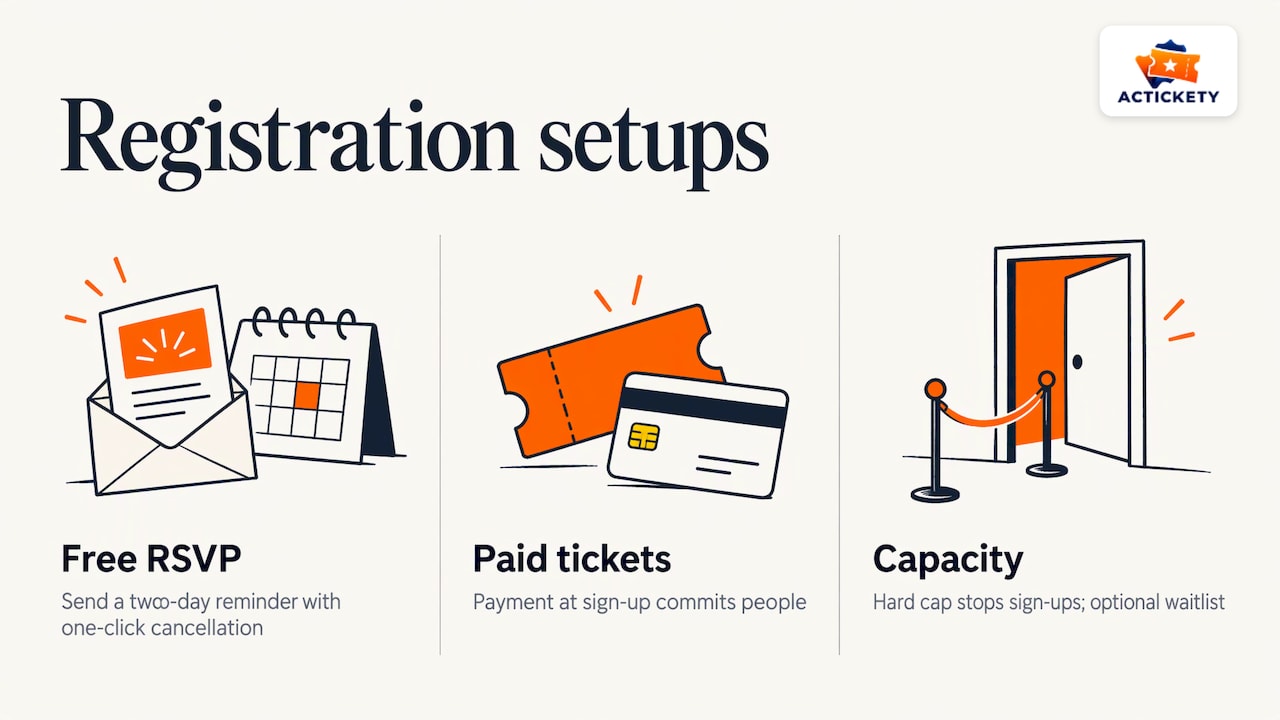
Free RSVPs. Free events see no-shows, often a large share of sign-ups. Overbooking slightly, or sending a reminder two days out that includes a one-click way to cancel, protects your numbers better than a bigger form.
Paid tickets. Payment at sign-up commits people. For fundraisers, workshops and concerts, this is where registration and ticketing become the same thing. Our guide on setting ticket prices that fill the room covers tiers and early pricing. If your event is a class or training, see workshop registration online as well.
Capacity. Set a hard cap on the page so sign-ups stop when the room is full. If demand is likely to exceed supply, decide in advance whether you will run a waitlist, and tell people so.
Show the true price
If you sell tickets to a live event in the US, the FTC's Rule on Unfair or Deceptive Fees, effective May 12, 2025, requires a business that advertises ticket prices to state the total price upfront, including mandatory fees it can calculate in advance. For a community organizer, the practical lesson is easy: decide who pays any processing or service charge, and show the all-in price on the first screen, not at the last step. Our explainer on ticketing platform fees shows what typically sits behind a ticket price. If you are unsure how the rule applies to your organization, ask a lawyer or your state attorney general's consumer protection office.
Write the refund terms before the first sale
Tell people before they pay whether refunds are full, partial or replaced by a transfer or credit, and by what date. Writing this after the first complaint is much harder. Our guide to writing an event refund policy gives you wording to adapt.
Choosing a registration tool on a small budget
For a volunteer committee or a small organization, the tool needs to meet five conditions:
- No cost to build and test. You should be able to set up the whole page and preview it before paying anything.
- Clear fees. Know exactly what is charged on each ticket, and who bears it.
- Your branding. Attendees trust a page that looks like your organization, not a generic marketplace listing.
- Your data. You should be able to export the attendee list at any time. Our guide on how to export attendee data and keep it clean and safe shows the routine.
- Everything in one place. Sign-up, payment, merchandise, confirmations and check-in should not need four separate tools.
This is the gap Actickety was built for. You build an event microsite in ten steps, generate a poster with AI, and set up ticketing and merchandise on the same site. Setup costs nothing until you are ready to go live, you keep 100% ownership of your event data, and there are no platform fees on ticket sales, unlike the large ticketing marketplaces. If you want the full picture for local events, read our guide to community event ticketing. Teams that want the page under their own brand can also look at white label ticketing.
Building the page, step by step
- Name the event and state the essentials. Title, date, start and end time, venue address and one sentence on who it is for. Put these at the top, because most visitors decide in seconds.
- Add a strong image. A poster or photo makes the page feel real. Actickety generates AI posters inside the same setup, so you do not need a designer for a first version.
- Set ticket types and capacity. Create each ticket type with its price, or mark it free, and set the cap.
- Build the form. Use the field table above. Mark only the fields you truly need as required.
- Add terms. Refund policy, privacy sentence, accessibility information and any code of conduct or age rules.
- Add merchandise if it helps. Shirts, programs or raffle bundles can sit beside tickets, which suits fundraisers and clubs.
- Preview as an attendee on a phone. Most community sign-ups happen on mobile. Walk through the whole journey, free and paid.
- Go live and share the link. Put the same link everywhere so your numbers are in one place.
The ten-step flow on Actickety follows this same order, and you only pay when you go live.
Promote registration in waves
Sign-ups do not arrive because a page exists. The PC(USA) guide advises promoting through channels that suit your audience and continuing through the registration period, with a second round and a final push as the deadline approaches. It lists social media, email newsletters, printed newsletters, bulletins, noticeboards, meetings and word of mouth.
A workable rhythm:
- Launch: announce to your existing list and social followers, with the link.
- Midpoint: share a reason to act now, such as a speaker, a performer or an early price ending.
- Final week: announce the deadline and remaining places. Scarcity that is true works; invented scarcity damages trust.
Email does most of the work for community events. If you run a nonprofit list, a comparison of email marketing platforms for nonprofits can help you choose a sender. For the messages themselves, our guide to event email marketing lays out six emails worth automating, from confirmation to day-before reminder.
Confirmations, tracking and check-in
Confirm instantly. Every registrant should get an email straight away with the date, address, what to bring, their ticket or confirmation code and the refund terms. It cuts "did it go through?" messages to almost nothing.
Watch the numbers weekly. Compare sign-ups against your capacity and your final-count date. If you are behind a week out, add a promotion round; if you are ahead, consider a second session or a waitlist.
Prepare check-in the day before. Export a clean attendee list sorted by last name, or use the tickets on the phone. Keep a printed backup. Assign one person to the door with the list and one to handle walk-ups and corrections.
Plan for last-minute changes. Decide in advance how you will handle name changes, transfers and late arrivals. A simple rule, announced on the page, saves arguments at the door.
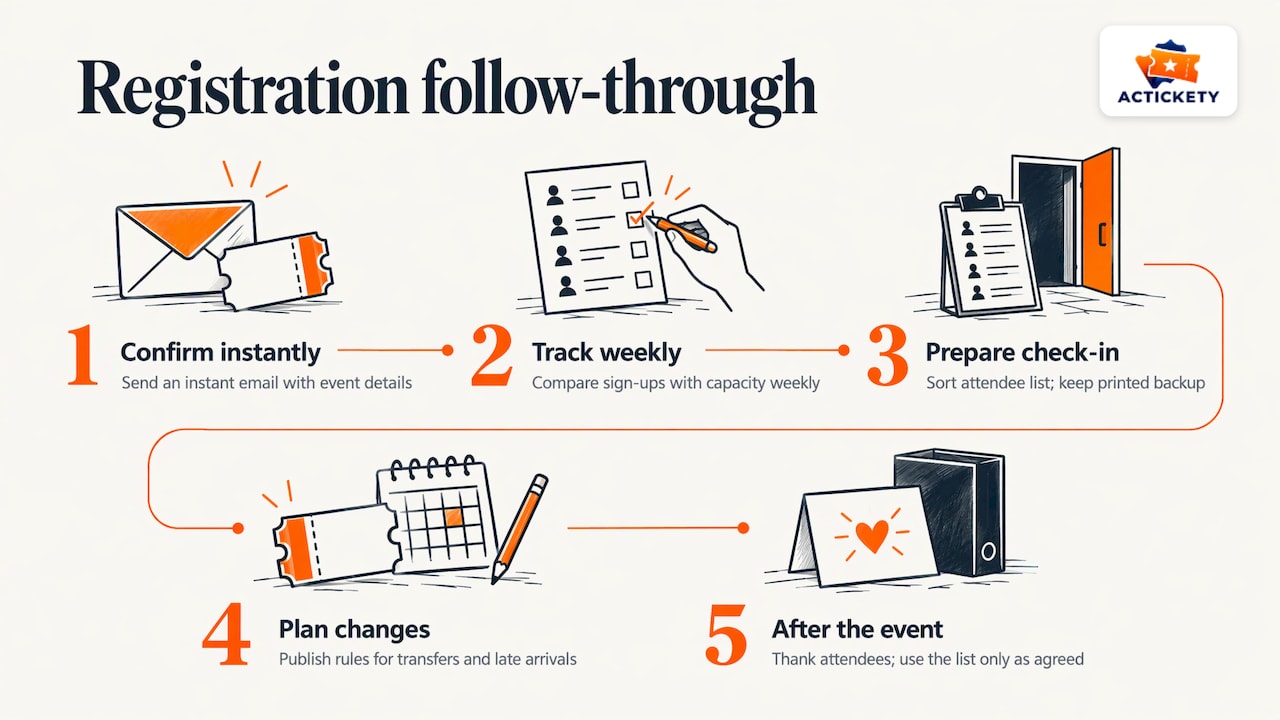
After the event. Send a thank-you, and use the list responsibly: only for the purpose attendees signed up for unless they agreed to more.
Our view on community registration
We think community events are run by people who should keep what they earn and what they learn. Too often a small organizer sets up a sign-up page, then discovers that fees take a slice of every ticket and the attendee list lives on someone else's platform.
That is why we built Actickety the way we did: a microsite you own, a free setup until you go live, no platform fees on ticket sales and full ownership of your event data. For a charity, a school club or a local band, that difference decides whether the evening funds the next one.
Registration is not a form. It is the first thing an attendee sees of your event, and it should look and feel like you. Your event. Your revenue. Your rules.
Tim
Build your registration page with Actickety
If you want sign-up, ticketing and merchandise on one branded microsite, Actickety lets you build it in ten steps, create an AI poster, and pay nothing until you go live. You keep 100% of your event data, and there are no platform fees on ticket sales.

Start with the page, test it end to end, and go live when you are ready.
FAQ
Do I need registration for a free community event?
Not always. If the event is open to everyone and has no capacity limit, an announcement may be enough. Registration makes sense when you must manage limited space, verify eligibility, collect fees or plan catering, as privacy guidance on events notes.
What is the minimum information I should collect?
Name and email cover most community events. Add ticket count, dietary or access needs, a phone number or an emergency contact only when you will act on them. Fewer fields mean more completed sign-ups and less data to protect.
When should registration close?
Work backward from your final-count date, which is usually set by a caterer, venue or transport provider. Close a few days before that date so you have time to confirm numbers. A planning guide from the Presbyterian Church (USA) recommends this backward approach.
How do I handle refunds and fees?
Publish refund terms before payment and show the total price upfront. US live-event ticket sellers are covered by the FTC fee rule on total pricing. Our refund policy guide helps you write the wording.
Sources
- PC(USA) Connect event planning guide
- Events: Data Privacy at CERN
- FTC: The Rule on Unfair or Deceptive Fees, FAQs