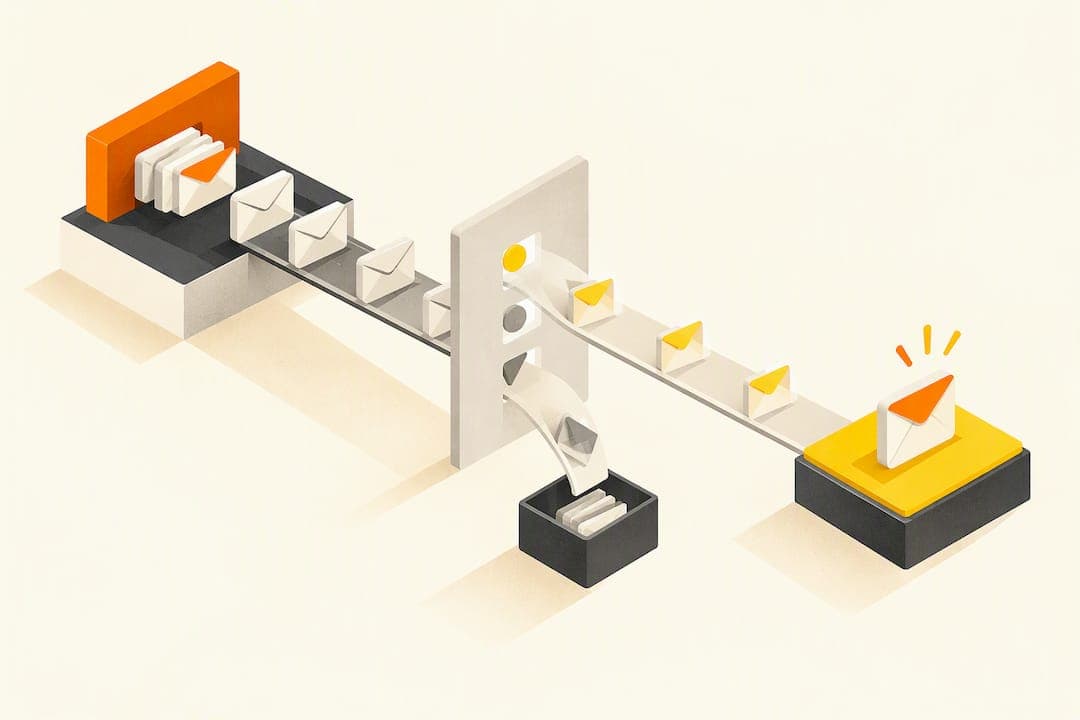
A sequenced, segmented email program, built on automated workflows and solid deliverability hygiene, reliably drives registrations and keeps attendees engaged after the event ends. The sequence matters more than any single send: save-the-date, confirmation, reminders, and follow-up each do a different job. Track registrations, replies, and clicks to key pages, not just opens.
TL;DR:
- Conferences need weekly reminders from week 2; webinars fit a 2 to 3 week sequence, ending with a reminder 24 hours before.
- Send a dedicated pricing email 48 to 72 hours before early bird rates expire, rather than burying the deadline inside another campaign message.
- Test urgency against informational subject lines in reminders, and judge results by registration page clicks rather than opens, which privacy features can inflate.
- Send tickets and a calendar link immediately after signup, then suppress reminders when registrants click the join link or check in.
- Before scaling, authenticate your domain with SPF, DKIM, and DMARC, include an unsubscribe link in commercial emails, and honor opt outs within 10 business days.
Table of Contents
- Which event emails to send and when
- Building a campaign timeline that fits your event type
- Subject lines, calls to action, and what to test first
- Design and copy choices that actually move conversions
- Automation workflows that handle the heavy lifting
- Deliverability essentials and the legal rules you can't skip
- What to measure beyond open rates
- Templates you can copy and customize today
- What actually works when you're short on time
- A simpler way to run ticketing and event emails: Actickety
- FAQ
- Sources
Which event emails to send and when
Every event program needs the same core set of messages, timed around specific triggers rather than a fixed calendar.
- Save-the-date: sent as soon as a date is locked, often weeks before the formal invitation, to claim a spot on the calendar.
- Invitation or ticket-launch email: goes out when registration opens, with a clear price, date, and single call to action.
- Registration confirmation: triggered immediately after signup; it is transactional, not promotional, and must include the ticket, date, time, and location or join link.
- Reminder sequence: typically sent one week, 24 hours, and sometimes a few hours before the event, with urgency increasing as the date nears.
- Day-of updates: cover schedule changes, parking or venue notes, and livestream links for virtual sessions.
- Post-event follow-up: delivers on-demand recordings, a short survey, and a soft offer such as early-bird pricing for the next event.
Confirmation emails deserve special care because they double as a receipt. Keep the marketing content light there and save upsells for later touches. Reminder cadence should flex by event type: a one-day workshop needs fewer touches than a multi-day conference, where reminders can start a full week out and intensify as sessions approach.
Building a campaign timeline that fits your event type
A conference needs more runway than a webinar, and the send cadence should scale with the planning window.
- For an 8 to 12 week conference timeline, send a save-the-date at week 12, open registration with an invitation at week 10, announce speakers around week 8, send a pricing-deadline or early-bird reminder at week 6, and shift to weekly reminders from week 2 onward.
- For webinars and local meetups, compress the whole sequence into 2 to 3 weeks: an invitation, a mid-point reminder, and a final 24-hour nudge usually cover it.
- Schedule speaker announcements and partner co-marketing emails between the invitation and the final reminder window, so they add fresh reasons to register rather than competing with urgency sends.
- Treat pricing changes (early-bird expiration, last-call pricing) as their own trigger: send a dedicated email 48 to 72 hours before the price increases.
Spacing matters as much as the number of sends. Crowding too many emails into the final week raises unsubscribe risk, while spacing them too far apart lets registration momentum stall.
Subject lines, calls to action, and what to test first
Subject lines carry more weight for events than for most other email types because urgency and specificity are built into the format. Tested subject-line formulas fall into a few repeatable patterns worth adapting rather than copying outright.
- Urgency: "Last chance: registration closes Friday"
- Emotional: "You don't want to miss this one"
- Offer-led: "Save $50 before early-bird pricing ends"
- Informational: "Here's what's on the agenda for [Event Name]"
- Speaker-led: "[Speaker Name] is joining us, here's their session"
A bank of tested event subject lines shows these formulas improving open rates when paired with tight audience targeting rather than sent broadly. Every email needs one visible call to action, written in verb-first language ("Reserve your seat," not "Registration information"), sized for a thumb tap on mobile.
Pro Tip: Test one variable at a time, start with urgency versus informational subject lines on your reminder series, since that's where the open-rate gap tends to be widest.
A simple A/B test plan: split your list in half, send urgency-framed subject lines to one half and benefit-framed lines to the other, then measure click-through to the registration page rather than opens alone.
Design and copy choices that actually move conversions
Most event emails are opened on a phone first, so layout decisions should start there, not on desktop.
- Keep the layout single-column, with the CTA button visible without scrolling on a phone screen.
- Write preview text that adds information the subject line didn't, instead of repeating it or defaulting to "view this email in your browser."
- Use dynamic content blocks to personalize by segment: a speaker's session for attendees who registered for that track, a different agenda block for general-admission versus VIP buyers.
- Add alt text to images and avoid relying on an image-only layout, since some inboxes block images by default and screen readers need the text equivalent.
- Favor plain-text or lightly-styled emails for confirmation and reminder messages, where clarity matters more than visual polish, and save image-forward design for the initial invitation.
Pro Tip: If your confirmation email's most important line (the date, time, or join link) only appears inside an image, rewrite it in live text. Image blocking turns that email into a blank box for a meaningful share of recipients.
Personalization beyond a first name, like referencing the specific session or ticket tier someone bought, consistently reads as more relevant than generic broadcast copy.

Automation workflows that handle the heavy lifting
A handful of automated workflows cover most of what an event email program needs, once they're set up correctly.
- Confirmation and ticket delivery: triggers the instant someone registers, attaching the ticket or PDF and a calendar link in the same email so attendees never have to search for it.
- Behavioral suppression: removes someone from the reminder sequence once they've clicked the join link or checked in, so they don't get a redundant "don't forget" email.
- No-show nurture: triggers for registrants who never opened the day-of email or joined the session, offering the recording or a discount on the next event.
- Merch and upsell triggers: fire after check-in or post-event, offering branded merchandise or early access to the next event's tickets while interest is still high.
Suppression rules matter as much as the triggers themselves. Without them, attendees who already acted keep getting messages meant for people who haven't, which drives complaints and unsubscribes.
Deliverability essentials and the legal rules you can't skip
Reaching the inbox at all is the real gating factor for event email performance, and it depends on a few technical and legal basics done correctly.
- Configure SPF, DKIM, and DMARC on your sending domain before scaling volume. These three records authenticate your emails to mailbox providers and are now treated as a baseline requirement rather than an optional upgrade.
- Include a clear, one-click way to unsubscribe in every commercial email, and honor opt-out requests within the window the FTC's CAN-SPAM guidance sets, which is 10 business days.
- Keep sending volume consistent rather than sending in sudden bursts, since mailbox providers flag erratic volume spikes as a spam signal.
- Retire "no-reply" sending addresses where possible. Mailbox providers increasingly weigh reply activity as a trust signal, and a dead-end address removes that signal entirely.
Global average inbox placement reached a high level in 2025, according to Validity's 2026 deliverability benchmark report, though mailbox provider bulk-sender rules now require authentication, one-click unsubscribe, and low spam-complaint rates to maintain that placement. Before scaling send volume for a big event push, run a short pre-send checklist: confirm authentication records are passing, verify the unsubscribe link works, and check that your list has been scrubbed of hard bounces from the last campaign.
What to measure beyond open rates
Open-rate data has become unreliable since privacy features in major email clients inflate it artificially, so the more useful signals sit further down the funnel.
- Primary conversions: registrations, completed ticket purchases, and session sign-ups tied directly to revenue or attendance goals.
- Engagement signals: reply rate, clicks to the registration or agenda page, and actual event attendance versus registration count.
- Deliverability health: bounce rate and spam-complaint rate, checked through tools like Google Postmaster Tools or Microsoft SNDS.
Set benchmarks from your own past events rather than industry averages, since list size, event type, and audience familiarity all shift what "normal" looks like. Review results within a day or two of each send and adjust the next one, rather than waiting until the whole series is finished.
Templates you can copy and customize today
Short, annotated templates save time when you're building a sequence under deadline pressure. Swap the bracketed-style variables for your own event details before sending.
- Invitation line: "Join us for [Event Name] on [Date] at [Location/Platform], register before [Deadline] to save [Discount]."
- Confirmation email: opens with "You're registered!", includes the ticket or PDF attachment, a calendar-add link, the event address or join URL, and a support contact for questions.
- 24-hour reminder: "[Event Name] starts tomorrow at [Time], here's your join link and what to bring."
- Post-event follow-up: thanks attendees by name, links the recording or photo gallery, includes a two-question survey, and closes with an early-access offer for the next event.
Keep the confirmation and reminder templates nearly identical across events so your team isn't rebuilding them each time, and only swap the event-specific variables.
What actually works when you're short on time
Fix deliverability before touching creative. A beautifully designed invitation that lands in spam does nothing. Fewer, sharper, well-targeted sends beat a high volume of generic blasts almost every time, and automation combined with reusable templates is what lets a small team scale a sequence without losing the personal detail that makes someone actually register.
— Tim
A simpler way to run ticketing and event emails: Actickety
Running the sequence above gets easier when ticketing, your event page, and confirmation delivery live in one place instead of three. We built Actickety as a free, intuitive setup for a professional event microsite, complete with AI-generated posters and configured ticketing and merchandise, so confirmation emails and reminders can pull directly from live ticket data instead of a spreadsheet.

Our platform does not charge platform fees on ticket sales, charges no upfront cost until an event is ready to go live, and allows full ownership of event data throughout. That combination means more of each ticket sale stays with the organizer running it, whether that's a charity, an artist, or a community group selling out a single show.
Set up a free event page and configure ticketing on the Actickety event ticketing platform before your next campaign goes out.

FAQ
What are the five C's of event planning?
The five C's commonly cited for event planning are concept, coordination, control, culmination, and closeout, covering the arc from initial idea through post-event wrap-up. Email marketing fits mainly into coordination and culmination, where invitations, reminders, and day-of updates keep attendees aligned with the plan.
What is the 80/20 rule in email marketing?
For event campaigns, this means prioritizing who receives a reminder or upsell over perfecting its design.
Is email marketing still worth it in 2026?
Email remains one of the highest-ROI channels available when it reaches the inbox, though inbox placement is now the main variable that determines success. Validity's 2026 benchmark report found inbox placement averaging around 87.2% globally in 2025, with mailbox provider rules increasingly rewarding authenticated, reply-friendly senders.
What are the five P's of event marketing?
The five P's of event marketing are typically listed as product, price, place, promotion, and people, covering what the event offers, how it's priced, where it happens, how it's marketed, and who delivers it. Email marketing sits primarily under promotion, carrying the invitation, reminder, and follow-up messages that drive registration and attendance.
How often should I send reminder emails before an event?
A common cadence sends reminders at one week out, 24 hours out, and sometimes a few hours before start time, with frequency increasing as urgency rises. Multi-day conferences often start reminders earlier, while single-session webinars usually need only two touches.