An event promo code is a short word or phrase that a buyer types at checkout to get a lower ticket price or to unlock a ticket that is otherwise hidden. Organizers use them to reward early buyers, bring in groups, thank members and track which channel sells. Used with a plan, they lift sales without teaching your audience to wait for a sale. Used carelessly, they cut revenue on tickets you would have sold anyway. This guide covers the types, how to configure and test a code, how to hand them out, and how to tell whether they worked.
TL;DR
- Two kinds of codes exist: discount codes lower a visible price, and access codes reveal a hidden ticket type (presale, member or VIP tickets).
- Set a purpose, a discount size, a usage cap and an end date before you create the code, then test it at checkout as a buyer would.
- Give each audience its own code (newsletter, partner, social, students) so you can see which channel earns its discount.
- Judge a code by extra tickets sold and revenue after the discount, not by how many times it was used.
- Check consumer-protection and tax rules in your own state or country before you advertise a deal.
Table of Contents
- Discount codes and access codes: what each one does
- What you can set on a code
- How to create and test a promo code, step by step
- Who should get a code: discount ideas that earn their cost
- Where to share codes without leaking them
- Perspective: why we treat codes as a tool, not a habit
- When in the campaign to introduce a code
- How the code changes the checkout experience
- Safeguards: limits, expiry and abuse
- Local rules to check before you advertise a deal
- Measuring whether a code worked
- Set up ticketing with no upfront cost
- FAQ
- Sources
Discount codes and access codes: what each one does
People search for "coupon codes for tickets" and "event discount codes" and usually mean the same thing, but ticketing tools separate two mechanisms, and choosing the right one is the first decision.
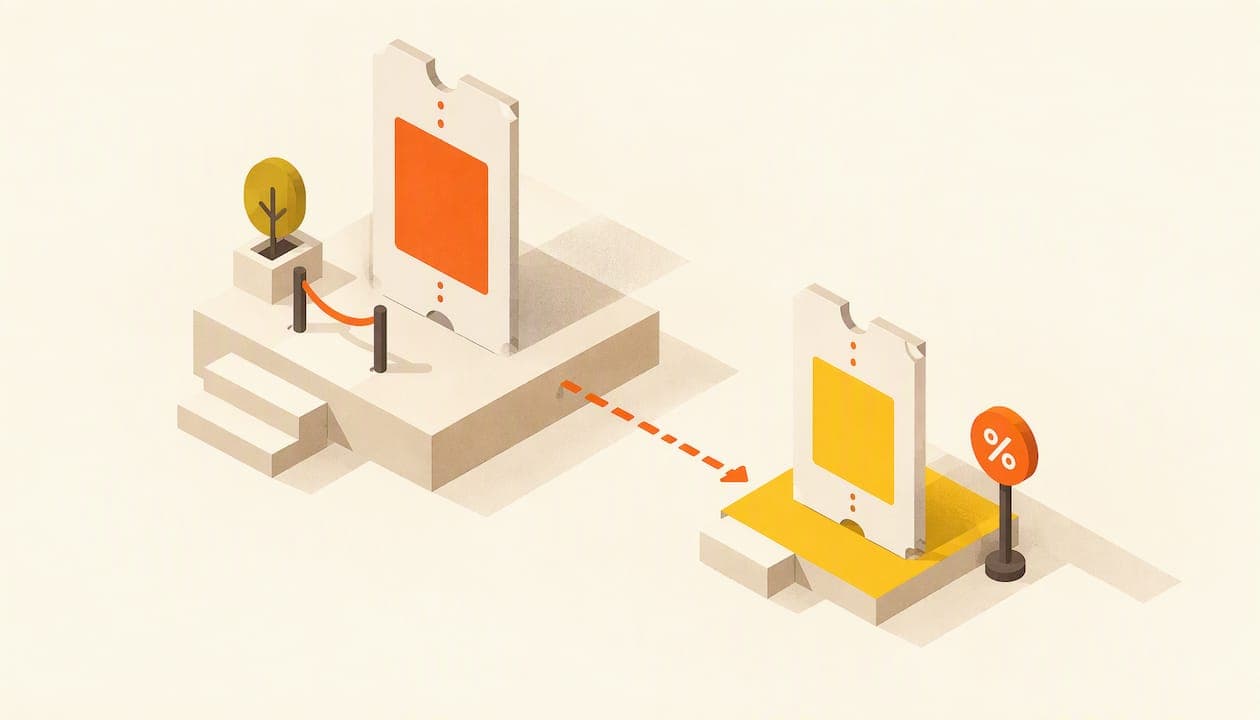
A discount code reduces the price of a ticket that everyone can already see. The reduction is either a fixed amount (for example, $5 off) or a percentage (for example, 10% off). Anyone who has the code can use it, so the way you share it decides who gets the deal.
An access code does not change a price. It reveals a ticket type that is hidden from the public page. This is the tool for presales, members-only tickets, sponsor allocations, speaker guests or a special bundle. Because the ticket does not exist for anyone without the code, you control who can buy it. The mechanics are standard across ticketing software: you first create a hidden ticket type, then create the code that unlocks it.
A quick way to choose:
| Goal | Best fit | Example |
|---|---|---|
| Reward early buyers | Discount code with an end date | EARLY10, 10% off until a set date |
| Reach a community or club | Access code for a hidden ticket | MEMBERS, unlocks a members' ticket |
| Fill a slow ticket tier | Discount code with a cap | LASTSEATS, limited to 25 uses |
| Track a partner or sponsor | Unique discount code per partner | CHOIRFRIENDS, one code per group |
| Run a presale for subscribers | Access code sent by email | EARLYACCESS, sent to your list only |
A third pattern sits between the two: a discount code that only works on one ticket type. Restricting the code to a ticket category stops a buyer from stacking a student discount on a VIP package.
What you can set on a code
Whatever platform you use, a well-built code has the same handful of settings. Decide each one before you click create.
Discount type and size
Fixed amounts are easier for buyers to understand on low-priced tickets. If a ticket costs $20, "$5 off" feels concrete. Percentages scale better on tiered pricing, where one code has to work on a $20 general ticket and a $120 premium one. Pick a size that matters to the buyer but leaves your margin intact. A discount that is too small gets ignored, and one that is too large trains people to wait.
Which tickets it applies to
Limit the code to the ticket types it is meant for. A code written for students should not unlock a discount on merchandise bundles or sponsor tables.
Usage limit
Set a total number of redemptions. A cap does two jobs: it creates honest scarcity ("first 50 buyers") and it protects you if the code leaks to a coupon site or a public group. Also consider whether a single buyer may use it more than once.
Start and end dates
Every discount code should expire. An open-ended code turns into a permanent price cut. Tie the end date to something the buyer understands: the end of the early-bird window, the day before the event, or the end of a campaign week.
Visibility and name
Use a name that is easy to type and remember, in capital letters, with the amount if it helps: SPRING15, FRIENDS, OPENDAY. Avoid characters that are easy to mistype, such as a zero next to the letter O.
How to create and test a promo code, step by step
The exact menu names differ between tools, but the sequence is the same.
- Write down the goal and the number. For example: "Sell 40 more tickets in the final three weeks with a 15% code capped at 60 uses."
- Choose the code type. Discount code for visible tickets, access code for hidden ones. If it is an access code, create the hidden ticket first.
- Pick the tickets it applies to. Select only the ticket types in your plan.
- Enter the settings. Name, amount or percentage, usage cap, start and end dates.
- Save and publish the code. Then open your public event page in a private browser window, so you see what a buyer sees.
- Run a test purchase. Apply the code, check that the discount appears before payment, that the total is right including any fees or taxes, and that the confirmation email shows what the buyer paid.
- Test the failure cases. Try an expired date, a ticket type the code should not cover, and a mistyped code. Each should show a clear message rather than a blank error.
- Share it only after the test passes.
If you also scan tickets at the door, make sure a discounted order still produces a normal scannable ticket. Our guide to QR codes for tickets shows how to set that up and check it before doors open.
Who should get a code: discount ideas that earn their cost
A code should have a reason behind it. These are the ones that tend to repay the discount for small and mid-sized organizers.
- Early-bird code. Rewards people who commit before you know your final numbers. It also gives you early cash flow to pay deposits.
- Group code. A choir, a team, a classroom or a company department that books several seats at once. Give the group leader a code, not a spreadsheet of names.
- Student, senior or member code. Useful for universities, schools and clubs. Pair it with an access code if you want to limit it to people on a list.
- Partner or sponsor code. One code per partner so you can see how many sales each one sent.
- Returning attendee code. Send to last year's buyers by email. They already trust the event, so the discount is a thank-you rather than a persuasion cost.
- Last-seats code. Short, capped and tied to a deadline, for the final push when a tier is nearly full.
- Charity or fundraising code. Many fundraisers prefer to avoid discounts and instead offer a hidden "supporter" ticket at a higher price. An access code suits that well.
The pattern behind them: a discount buys something you want, such as early commitment, volume, a new audience or loyalty. If it buys nothing, it is just lost revenue.
Where to share codes without leaking them
The channel decides who ends up holding the code. Match the channel to the audience.
Email to your own list. Private, trackable and the best place for access codes and returning-attendee offers. Our guide to event email marketing covers the six emails worth automating, and a code fits naturally in the reminder and last-chance messages.
Social media. Good for a public discount with a short end date. If you post a code in a story or a caption, assume anyone can use it. Cap it. For formats and how to point every post at one ticket page, see our guide to Instagram event promotion.
Partners and community groups. Give each partner a unique code. They share it with their own members and you see the result by name.
Printed material and posters. A code on a flyer or poster lets you measure offline reach. Use a distinct code for each location or handout, such as LIBRARY10 or CAMPUS10.
Event pages and calendars. Mention the discount in the page itself so a buyer who arrives from search sees the offer. If you are still building that page, see how to create an event website that sells tickets.
One caution applies to every channel. Do not publish a general-purpose code that never expires. Coupon aggregator sites scrape codes and keep listing them long after your campaign ended, and buyers keep trying them.

Perspective: why we treat codes as a tool, not a habit
We build Actickety for charities, artists, schools, clubs and small organizers, people who watch every dollar. Our view is simple: a promo code should be the exception that has a reason, not the default price. Most small events do not have a price problem. They have a visibility problem, and a discount does little for an event nobody has seen.
That is why we point organizers to the basics first: a clear event page, one easy ticket page and a promotion plan, as covered in our guide on how to increase ticket sales. Then use a code where it does a specific job: closing a presale, rewarding a group, tracking a partner.
The other thing we care about is what happens to the money. Platform fees on every ticket quietly eat the margin you were trying to protect with a smart discount. Our model has no platform fees on ticket sales and no upfront cost until you go live, and you keep 100% ownership of your event data, including who bought with which code. That data is how you learn which discounts were worth it.
— Tim
When in the campaign to introduce a code
Timing matters more than the size of the discount. A code launched on day one competes with your own full-price tickets. A code launched when interest is flat gives you a reason to contact people again.
A workable rhythm for an event with an 8 to 12 week runway:
- Weeks 1 to 2 (launch): an early-bird discount or presale access code for your list and closest supporters.
- Middle weeks: no discount. Sell on content, lineup, speakers and social proof. Partner codes can run quietly in the background.
- Final 2 to 3 weeks: a capped, dated code for the last seats, or a group offer, to convert people who were interested but undecided. A 2026 case study from an African tech expo reports that a promotional incentive placed in the closing weeks of a campaign shifted conversion noticeably, though it is a vendor's own write-up and your results will depend on your audience.
- Last 48 hours: a final reminder, with the code's end date stated plainly.
The offer needs a clear call to action beside it. If you are rewriting your buttons and email lines, this piece on writing compelling CTAs explains how wording and placement affect conversions. For the full timeline around the code, our event marketing plan and the guide to promoting an event online give week-by-week structure.
How the code changes the checkout experience
A code is one more field at checkout, and every extra field is a small chance for a buyer to stall. A few practical choices keep it from costing you sales:
- Make the code box easy to find but not shouting. If it is too prominent, buyers without a code leave to search for one, which sends them to coupon sites.
- Show the new total immediately after the code is applied, so the buyer sees the saving before entering payment details.
- Write clear error messages. "This code expired on the last day of the early-bird window" keeps a buyer; "Invalid" loses one.
- Let a link carry the code. A link that applies the code automatically removes typing and mistakes for people who click from an email or post.
- Keep the process short. Work on the whole path from page to confirmation; this overview of conversion rate optimization shows how to find and fix the points where visitors drop off.
If you manage your event page yourself, our guide to event website design covers layout and accessibility choices that help every buyer, with or without a code.
Safeguards: limits, expiry and abuse
Most problems with codes are predictable, and a few settings prevent them.
- Cap redemptions. Even a "unlimited" campaign should have a ceiling you can afford.
- Set an end date. Always. Tie it to a real deadline.
- Restrict to ticket types. Avoid accidental discounts on premium or sponsor tickets.
- Use unique codes for sensitive groups. One shared code for "staff" or "VIP guests" will spread. Individual codes can be tracked and stopped.
- Do not stack. Decide whether a buyer can combine a code with another offer, and set the tool so it does not by default.
- Watch the first days. If a code you meant for 30 members is redeemed 200 times in an afternoon, close it and look at where it was posted.
- Never reuse a code name for a different offer. Old codes circulate, and buyers will expect the old deal.
Also keep a record of every code you create: its purpose, audience, size, cap, end date and result. Next year's campaign starts from that list.
Local rules to check before you advertise a deal
A discount is advertising, and advertising is regulated. The details depend on where you sell, so check these before launch rather than after a complaint.
- Pricing claims. If you say "50% off" or "was $40, now $25," the original price should be a real price you actually charged. Your state attorney general or consumer protection office, or the equivalent body in your country, publishes guidance on advertising discounts.
- Terms and conditions. State the end date, the cap and any ticket-type restrictions on the page where the code is offered, not only at checkout.
- Sales tax and VAT. How tax applies to a discounted ticket, and to admissions in general, varies by state and country. Ask your state revenue department or your accountant, especially if you sell across borders.
- Raffles, fundraising and charity rules. If a code is part of a fundraiser, charitable solicitation or prize draw, separate rules may apply.
- Age or eligibility discounts. Student, senior or military offers usually need a way to verify eligibility at the door. Say what ID to bring.
- Data and consent. If you email codes, make sure the recipient agreed to hear from you, as covered in the email marketing guide above.
This is general information, not legal advice. For anything involving taxes, charitable rules or contests, talk to your accountant or a local attorney.
Measuring whether a code worked
A code that was used a lot is not necessarily a code that worked. Ask four questions after the campaign.
1. How many tickets were extra? Compare sales in the code window with your earlier pace and with last year's curve. If sales were already climbing, many buyers would have paid full price.
2. What was net revenue? Multiply the discounted price by the redemptions and compare it with what the same sales would have earned. A 20% code must bring in more than 25% additional tickets just to break even on revenue, and more still to earn a profit. That is simple arithmetic: at a $20 ticket and 100 tickets, revenue is $2,000; with 20% off you need 125 tickets at $16 to get the same $2,000.

3. Which channel earned it? Because you gave each audience its own code, the redemption count per code shows where buyers came from. Drop channels that bring nothing.
4. Who came back? Look at attendance, not only purchases. A discount buyer who does not show up is still a sale, but a code that brings people who attend, spend on merchandise and return next year is worth more than one that only moves tickets.
A small spreadsheet is enough: code, audience, tickets sold, discount given, net revenue, and notes. Keep your own buyer data so this analysis does not depend on anyone else's dashboard.
Set up ticketing with no upfront cost
If you are building your first event page, Actickety lets you create an event microsite in ten straightforward steps, generate an AI poster, and set up ticketing and merchandise, with no upfront cost until you go live. There are no platform fees on ticket sales, and your event data stays yours. You can start at Actickety, read the ticketing platform terms before you launch, or see how community event ticketing works in hours rather than weeks. If you want ticketing under your own brand, our guide to white label ticketing explains what to look for.
FAQ
What is the difference between a promo code and an access code?
A promo (discount) code lowers the price of a ticket that everyone can see. An access code reveals a ticket type that is hidden from the public, such as a presale, member or VIP ticket. Use a discount code to reward behavior and an access code to control who can buy.
How big should an event discount be?
Big enough that the buyer notices, small enough that your margin survives. Many organizers start with a modest percentage or a fixed amount on early tickets and use a larger offer only for capped, last-minute pushes. Work out the break-even number of extra tickets first, as in the example above.
How do I stop a code from spreading to people it was not meant for?
Set a usage cap and an end date, restrict it to specific ticket types, and give separate codes to separate groups. For a closed audience, use an access code on a hidden ticket sent only by email. Check redemptions in the first days and close the code if the numbers look wrong.
Do I need to test a code before sharing it?
Yes. Open your event page in a private window, apply the code, check the discount and total, and complete a test order. Also try an expired code and a wrong ticket type to see the error messages your buyers will see.
Are event discount codes affected by local law?
Advertising rules, tax treatment and charity or raffle regulations vary by state and country. Check your local consumer protection office and your accountant before you promote a deal, particularly one that includes a "was/now" price or a prize draw.
Sources
- How to create compelling CTAs for higher conversion rates
- Conversion rate optimization: fix local business leaks in 2 weeks
- GITEX Kenya 2026 case study