To sell more tickets, fix what stops people from buying before you spend more on promotion, then price in tiers, announce in a sequence, and send every channel to one ticket page you control. Most small organizers do the opposite: they buy ads and send people to a clumsy checkout. This guide goes in the order that pays back fastest.
TL;DR
- Buy a ticket to your own event on your phone first. Forced accounts, surprise fees and slow pages cost more sales than weak ads do.
- Use price tiers and a presale to create real deadlines, and show the full price up front. In the US, the FTC's fee rule now requires it for live-event tickets.
- Announce in a sequence (dates, lineup, urgency, practical details) rather than repeating one message.
- Keep a reserve of budget and move it to the events that are trailing but still responsive.
- Own your ticket page and your buyer data, so every sale builds the next one.
Table of Contents
- Start with the checkout, not the ad budget
- Show the full price from the first screen
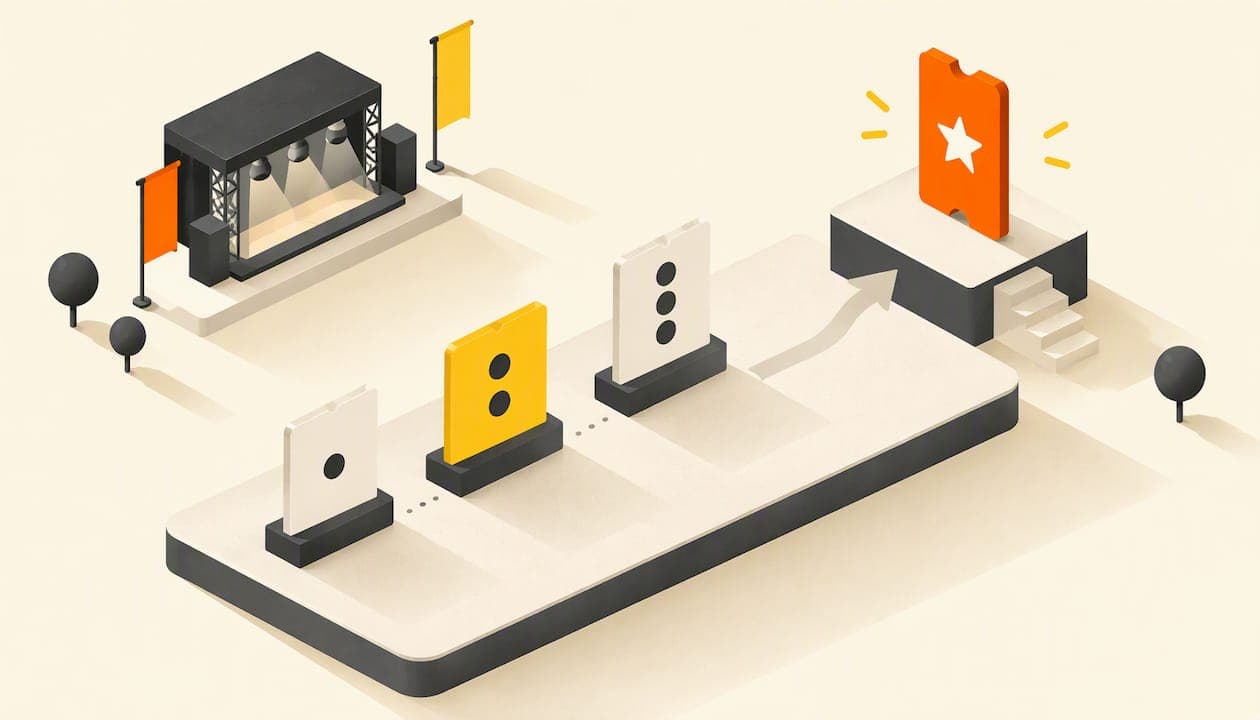
- Price in tiers and give people a reason to buy now
- Announce in a sequence, not in one burst
- Make your poster do one job
- Send everyone to one ticket page
- Spend where it still moves the needle
- Our perspective: own the page, own the buyer
- Build the page that sells with Actickety
- A four-week plan to lift sales
- Mistakes that quietly cost tickets
- FAQ
- Sources
Start with the checkout, not the ad budget
Before you promote anything, test the path a buyer takes. One promoter playbook recommends buying a ticket to your own event on a mobile device and noting every point of friction: forced account creation, hidden fees, slow load times. It also argues that even a 5% rise in checkout completion can lift sales noticeably without a single extra ad impression.
Do this test properly:
- Open your event link from a social post on your phone, on mobile data rather than Wi-Fi.
- Time how long the page takes to show the date, place and price.
- Count the taps from "Buy" to a confirmation email.
- Note every surprise: a new fee, an account wall, a form field you did not need.
- Fix the worst one, then test again.
If your tickets sit on a page you cannot edit, you can only fix so much. A dedicated event site lets you put the date, the price, the lineup and the buy button on one fast page. We cover how in our guide to building an event website that sells tickets, and the design side, including accessibility, in event website design for organizers.
Show the full price from the first screen
Fees that appear only at the last step are the classic reason people abandon a purchase. They are also now a legal matter for US sellers. The FTC's Rule on Unfair or Deceptive Fees, effective May 12, 2025, covers businesses that offer or advertise live-event tickets, including third-party platforms and resellers. It requires the total price to be disclosed upfront, including mandatory fees the seller can calculate in advance.
Practical consequences for an organizer:
- Put the all-in price in your poster copy, your social captions and your ticket page.
- If you add a fee on top, say so before the buyer reaches checkout.
- Compare platforms by the total a buyer pays and the total you keep per ticket, not by the headline subscription.
The rule applies to US sales. If you sell elsewhere, check your own country's consumer-pricing rules.
Price in tiers and give people a reason to buy now
A single price with no deadline gives the buyer no reason to act today. Tiers fix that. One presale guide recommends tiered pricing such as early bird, standard and last-minute, and notes that limited availability makes tickets feel more valuable.
A simple structure for a first-time event:
| Tier | When | Purpose |
|---|---|---|
| Presale or early bird | First 2 to 4 weeks after announcement | Cash flow and proof that people are coming |
| Standard | Middle of the campaign | Your reference price |
| Final release | Last 1 to 2 weeks | Urgency for the undecided |
| Bundles or VIP | Throughout | Raise the average order value |
Keep deadlines honest. If you say "last 50 tickets" and then keep selling, your next audience will remember. Our full walkthrough, with worked examples, is in ticket pricing strategy: how to set prices that fill the room.
Be realistic about what a ticket earns, too. Promoters who share their numbers say that margins in live entertainment are thin for everyone in the chain. That is a reason to avoid blanket discounting. A discount that fills seats you would have filled anyway just gives money away.
Announce in a sequence, not in one burst
People rarely register because an ad is pretty. A case study of an innovation festival, IDEA Week, frames festival marketing as a sequencing problem: clear dates, recognizable speakers and practical "know before you go" details matter more than creative flourish. The research behind that case describes a six-month plan that moved from announcements to lineup reveals, then urgency, then utility.
You probably have a shorter runway, so compress the same logic:
- Announce: date, place, price tier, one sentence on why it is worth going.
- Reveal: lineup, speakers, the headline act, the raffle prize, the guest of honor.
- Push: tier deadlines, remaining capacity, reminders.
- Reassure: parking, doors, accessibility, what to bring, refund policy.
Each stage gives you something new to post, which beats saying "buy tickets" fifteen times. For a ready-made calendar, see our 8 to 12 week event marketing plan. If you need more depth on pacing a campaign across several channels, this piece on audience engagement strategies offers a broader marketing view.
Make your poster do one job

A poster, digital or printed, has about three seconds. It must answer three questions: what is it, when and where, and what do I do next. Put a QR code or short link that opens the ticket page directly. Test the design by showing it to someone for three seconds and asking what they remember. We lay out the method, including when AI-generated designs help and when templates are enough, in our event poster design guide.
Send everyone to one ticket page
Your posters, Instagram bio, newsletter, partner listings and flyers should all lead to the same page. One link means one place to measure what works and one page to improve. One of the top-ranking guides makes a related point: target past buyers first, because they already trust you.
Two channels deserve special attention.
Email. Your past attendees and sign-ups are your cheapest buyers. A short automated series (announcement, tier deadline, final reminder, post-event thank you) will do more than most paid campaigns. See six event emails to automate for the order and timing.
Instagram. Stories, Reels and carousels can all point to one ticket link if you plan them that way. Our guide to Instagram event promotion for organizers covers each format.
For a longer menu, 15 tactics for small teams over 90 days shows how to choose a few and do them well.
Spend where it still moves the needle
If you run paid promotion, do not split the budget evenly across dates or events. The same playbook suggests holding roughly 30% of the budget in reserve and reallocating weekly based on how each show is tracking against its forecast. Put the money into the events that are behind target but still respond to advertising, not into ones already heading for a sellout.
A festival case shows what disciplined targeting can look like. Komm Schon Alter sold out 2.5 months ahead in 2025, with a reported return on ad spend of 23.33. That is one festival's result, not a promise for yours, but it shows how much a sold-out early phase can change the rest of a campaign.
Track the cost of each additional ticket, not only the average cost per sale. The average hides the point where each new sale starts costing more than it earns.
Our perspective: own the page, own the buyer
We built Actickety because we kept seeing small organizers lose sales and data to complexity. A charity gala, a school open day or a local band's gig does not need an agency. It needs a clear page, a fair price and a way to reach the same people again.
Here is what we believe about selling more tickets:
- Your event site is your best salesperson. Social platforms send attention, but the sale happens on your page. Make that page fast, specific and yours.
- Data ownership compounds. Every buyer you can contact again lowers the cost of the next event. We built Actickety so organizers keep 100% ownership of their event data.
- Cost should not arrive before revenue. Setup is free, and you pay nothing upfront until you are ready to go live. That lets you build the site, test the poster and set up tickets and merchandise before you commit.
- Merchandise belongs on the same page. A T-shirt or print can raise what each visitor spends without another campaign.
Organizers who use us have told us they see higher ticket sales, smoother event processes and better profitability. We would rather you judge that by testing your own checkout than by taking our word for it.
— Tim
Build the page that sells with Actickety
If you want to put the tactics above into practice without paying for setup, Actickety lets you build an event microsite in ten steps, generate an AI poster, and configure ticketing and merchandise in one place. There are no upfront costs until you go live, and we don't charge platform fees on ticket sales. If you have a question about your event, get in touch. For community and charity organizers, community event ticketing: launch in hours, keep your data shows the process, and white label ticketing explains how to keep your brand and your data.
A four-week plan to lift sales
If your event is a month or two away, here is a sequence you can start this week.

Week 1: fix and set up. Run the phone test. Rebuild or simplify your ticket page. Set two or three tiers with dates. Show the full price.
Week 2: announce. Publish the page, send the first email to past buyers, and post the poster with a direct link. Open the presale to your list first.
Week 3: reveal and measure. Share the lineup or the headline detail. Look at where sales come from and where visitors drop off. Move budget to what is working.
Week 4: urgency and reassurance. Remind people when the tier closes. Post the practical details: doors, parking, access. Thank early buyers publicly.
Then repeat the loop for the final stretch, and after the event, email attendees while the memory is fresh. They are your first buyers for the next one.
Mistakes that quietly cost tickets
- Promoting too early and too often. One presale guide warns that people who see an event repeatedly far in advance may lose interest or assume they can wait. Build awareness lightly, then concentrate your push closer to the date.
- Treating all audiences alike. Younger buyers often decide late, while families and season-ticket buyers plan ahead. Match your tiers to how your audience actually behaves.
- Ignoring mobile. Most of your traffic from social posts arrives on a phone. Test there first.
- Hiding information. If buyers cannot find the time, place, price and refund policy within seconds, they leave.
- Discounting by default. Use scarcity and deadlines before you cut prices.
FAQ
What is the fastest way to increase ticket sales?
Fix friction on your ticket page first: forced accounts, hidden fees and slow loading. Then add a real deadline with an early-bird tier and email your past buyers. These steps cost little and work on sales you are already close to winning.
How do I sell more tickets with no marketing budget?
Use channels you own: your email list, your social accounts, partner organizations and a single, well-written event page. Share the same link everywhere, post something new at each stage of the campaign, and ask early buyers to invite friends. Free setup tools help, since you can launch without paying until you go live.
Should I discount tickets to fill the room?
Use discounts sparingly and with a deadline. Tiered pricing and limited-time offers create urgency without lowering your reference price. Since margins are often thin, blanket discounts can cost more than they bring in.
Do I have to show the fees upfront?
In the US, yes for live-event tickets. The FTC rule in effect since May 12, 2025 requires the total price, including mandatory fees you can calculate, to be shown upfront. Outside the US, check your local consumer rules.
Sources
- The Rule on Unfair or Deceptive Fees: Frequently Asked Questions (FTC)
- How to Sell More Tickets: A Promoter's Playbook 2026
- What Independent Concert Promoters Actually Make
- IDEA Week case study (WeCreate)
- Komm Schon Alter case study
- Audience engagement strategies for business growth in 2026