Build a single event microsite as your hub, then drive traffic to it with organic social posts, segmented email, referral incentives, Event schema markup, and small, targeted ads. That combination covers discovery, trust, and conversion without a big budget. The sections below walk through each tactic, a 90 to 0 day timeline, and the measurement steps that tell you what to scale.
TL;DR:
- A field experiment involving more than 160,000 users found that surprise rewards for referrers increased referrals by about 20.9%; keep recipient rewards fixed.
- Google’s event carousel eligibility requires markup with a name, a start date with a time zone, and a location; fully online events are ineligible.
- If sales trail the target 30 days before the event, raise ad spend or relaunch referrals; two missed weekly goals signal a budget shift.
- Add UTM parameters to every shared link and change only one element per channel at a time, so ticket conversions reveal which test worked.
Table of Contents
- 15 Tactics to Promote Your Event Online
- Your 90-Day Promotion Timeline and Budget
- Choosing Your Channels: Social, Email, and Content
- Winning Search and Maps Visibility With Event Schema
- Measuring What Actually Sells Tickets
- A Ready-to-Use Checklist for Small Teams
- Showing Up on Google Maps and Local Searches
- Why the "Spray and Pray" Approach to Event Promotion Keeps Failing
- Put Your Promotion Plan on a Microsite Built for Conversion
- FAQ
- Sources
15 Tactics to Promote Your Event Online
Most organizers don't fail at event promotion because they lack ideas. They fail because they spread a small budget and even smaller team across too many channels without a sequence. Start with the tactics that compound (your microsite, referrals, email) and layer in the rest as time allows.
- Build one event microsite as your hub. Every post, email, and ad should point to a single page with your date, location, ticket price, and a visible "Buy Tickets" button. A simple one-page site with a countdown and a clear price takes a few hours to launch and immediately gives you one link to share everywhere.
- Launch a referral program with uncertain rewards for senders. Offer referrers a surprise reward (a mystery discount or raffle entry) rather than a fixed one, since a field experiment of more than 160,000 users found uncertain rewards for the sender increased total referrals by about 20.9%. Keep the recipient's reward guaranteed and fixed, since the same study found uncertainty there backfires.
- Send a segmented email announcement. Split your list into past attendees, newsletter subscribers, and VIPs, then send each group a different subject line and offer. A "past attendees get early access" email usually opens better than a generic blast.
- Build an automated nurture sequence. Set up three to five emails that fire automatically after signup: a welcome, a reminder, a speaker or lineup highlight, and a last-chance message. This runs in the background while you focus on other channels.
- Post short-form video on social. A 15 to 30 second clip (a venue walkthrough, a speaker teaser, last year's highlights) outperforms static graphics for reach. One clip reused across Instagram Reels, TikTok, and YouTube Shorts covers three platforms for one editing session.
- Create a dedicated event hashtag. Use it on every post and ask speakers, sponsors, and early ticket buyers to use it too. A unique, short hashtag makes it easy to track mentions and surface user content later.
- Run a countdown series. Post at 30, 14, 7, 3, and 1 day out with a different angle each time (lineup reveal, ticket deadline, behind-the-scenes). This keeps your event visible without repeating the same ad.
- Recruit speakers and sponsors to co-promote. Give each speaker or sponsor a ready-made graphic and sample caption mentioning your event. A speaker with 5,000 followers who posts once can outperform a paid ad at zero cost.
- Partner with local organizations or complementary brands. A cross-promotion (you post about them, they post about you) extends your reach into an audience you haven't touched. This works especially well for community, charity, and local business events.
- Publish one or two blog posts tied to the event. A "what to expect" or "meet the speakers" post gives you something substantial to share and helps your microsite rank for your event name. It also gives journalists something to link to.
- Pitch local press and niche newsletters. A short, specific pitch (who, what, why it matters to their readers) to a local reporter or industry newsletter can land a mention that an ad budget can't buy.
- Claim and complete local listings. Add your event to Google Business Profile, local event calendars, and relevant directories so people searching your city or niche find you organically.
- Run small, targeted paid social ads. Start with a tight audience (your city, your niche interest, lookalikes from past attendees) and a modest daily budget. A $10 to $20 a day test over a week tells you more than a single large spend.
- Retarget site visitors who didn't buy. Anyone who views your microsite but doesn't purchase should see a reminder ad within a few days. Retargeting warm traffic typically converts at a lower cost than cold prospecting.
- Encourage and reshare user-generated content. Ask early ticket buyers to post why they're attending using your hashtag, then repost the best ones to your own feed. Real attendee voices build more trust than a brand's own promotional copy.
- Who does what: assign one person to email, one to social, and one to partnerships so nothing falls through.
- Simplest success metric: track clicks from each channel to your microsite, then track tickets sold from that traffic.
Your 90-Day Promotion Timeline and Budget
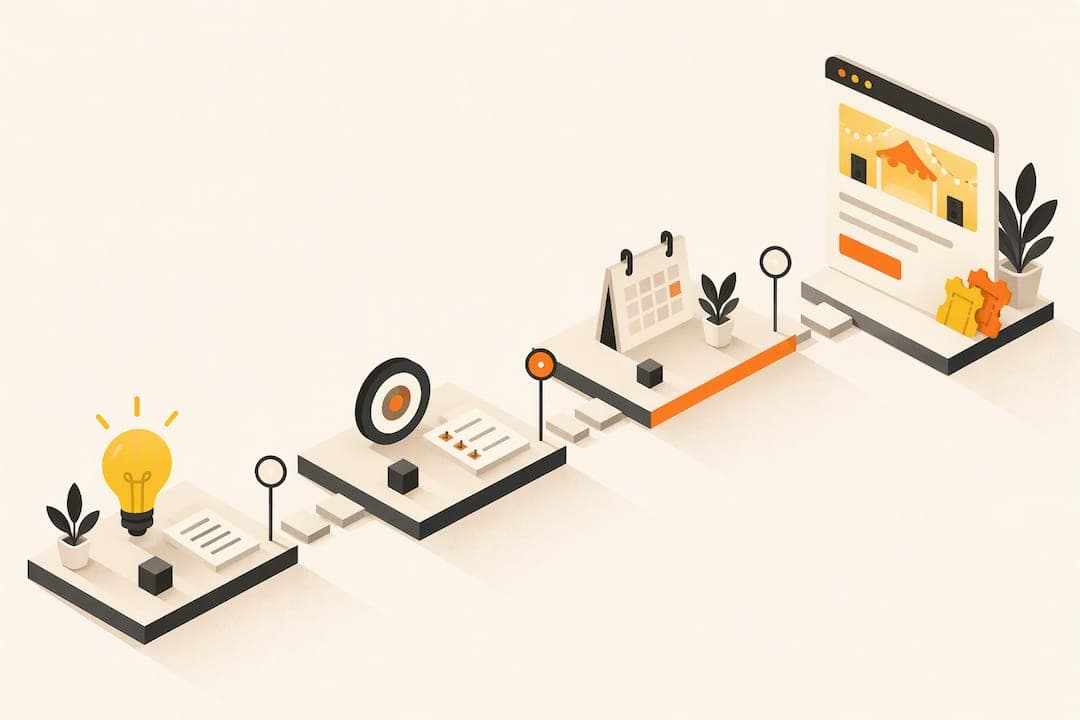
A tactic list only helps if it runs on a schedule. Map each activity to a window before your event date so nothing launches too late to matter.
- 90 days out: Launch your microsite, open ticket sales, and announce to your existing email list and social followers.
- 60 days out: Recruit speakers, sponsors, and partners to co-promote; publish your first blog post.
- 30 days out: Start paid social tests, launch your referral program, and begin your countdown post series.
- 14 days out: Increase ad spend on your best-performing audience, send a nurture email, and pitch local press.
- 7 days out: Post daily, send a reminder email, and retarget site visitors who haven't bought.
- 1 day out: Send a final "last chance" email and post a same-day urgency message across social.
- 0 day (event day): Encourage live posting with your hashtag and capture content for next time.
If ticket sales pace behind your target by the 30-day mark, that's your trigger to raise ad spend or add a second referral push rather than waiting until the final week.
Pro Tip: Set a weekly ticket-sales goal from day 90, and treat two consecutive weeks of missed pace as the signal to shift budget, not just effort.
Choosing Your Channels: Social, Email, and Content
Not every organizer needs every channel at full intensity. Pick based on where your audience already spends time and how much lead time you have.
- Organic social: Lead with short video, use your countdown series consistently, spotlight one speaker or performer per post, and keep your hashtag in every caption.
- Paid social basics: Start with a narrow audience (city, interest, or a lookalike seeded from your past attendee list), run retargeting for 7 to 14 days after someone visits your microsite, and keep ad creative simple: one clear image, one price, one button.
- Email flows: Run an announce email, a nurture sequence for non-openers, a cart-recovery email for anyone who started checkout without finishing, and a "share this with a friend" ask once someone has their ticket.
- Subject line formulas that tend to perform: "[First name], your spot is almost gone," "Last chance: tickets close Friday," and "You're invited: here's what's happening."
- Content and PR: Write one blog post, pitch two to three local or niche outlets with a short specific angle, and send a one-paragraph brief to any influencer or partner asking them to post by a specific date.
Winning Search and Maps Visibility With Event Schema
Adding structured data to your event microsite is one of the few technical steps that directly affects whether your event shows up as a rich result in Google. Google Search Central's Event schema documentation lists three required properties for eligibility: name, startDate (with a time zone), and location. Skipping any one of them disqualifies the page from the event carousel.
- Add the offers property with a plain numeric price, a priceCurrency, and a crawlable offers.url pointing to your ticket page, since Google's guidance notes this combination improves how clearly price and availability show up in search results.
- For a fully online event, know that it won't qualify for the visual event carousel, according to Greadme's Event schema guide, though it can still appear in other surfaces when properly marked up.
- For a hybrid event, set eventAttendanceMode to MixedEventAttendanceMode and include both a physical Place (full postal address) and a VirtualLocation (URL) in your location array to avoid losing eligibility.
- Validate your markup with Google's Rich Results Test, then check Search Console's Enhancements report over the following days for errors.
Google's documentation notes that the required name, startDate, and location fields determine whether your event is eligible for enhanced listings at all. Getting these three fields right before launch avoids a slower fix later.
Measuring What Actually Sells Tickets
Vanity metrics like impressions tell you reach, not revenue. Track the handful of numbers that connect directly to ticket sales.
- Primary KPIs: tickets sold, conversion rate on your microsite, cost per ticket acquired, email open and click rates, and the rate at which social engagement turns into a ticket sale.
- Attribution setup: add UTM parameters to every link you share, consider a unique landing page per major channel, and install both a browser pixel and server-side tracking so ad platforms see conversions even when browser tracking is blocked.
- Three fast experiments to run: test two CTA wordings ("Get Tickets" versus "Reserve Your Spot"), test price framing (showing a per-person price versus a total group price), and test two referral reward structures against each other to see which drives more shares.
Pro Tip: Run only one experiment per channel at a time. Changing your email subject line and your CTA button in the same week makes it impossible to tell which change moved the needle.
A Ready-to-Use Checklist for Small Teams
A plan only works if someone can execute it without rereading the whole guide. Keep this checklist next to your calendar and assign each row to a person.
- Confirm your microsite is live with name, date, location, and ticket link.
- Add Event schema fields and validate with the Rich Results Test.
- Send the announcement email to your segmented list.
- Post the first countdown graphic and recruit one speaker or sponsor to co-post.
- Launch your referral program with the sender-side mystery reward.
- Start a small paid social test and begin retargeting site visitors.
- Pitch local press and publish your blog post.
- Send the nurture and cart-recovery email sequences.
- Post daily in the final week and send the last-chance email.
Copy-ready templates speed up the handoff to volunteers or junior team members:
- Social caption template: "[Event name] is happening [date] at [location]. Grab your ticket before they're gone: [link] #[hashtag]"
- Referral message template: "Loved [event name]? Share your link and get a surprise reward when a friend grabs a ticket: [link]"
- Email subject formula: "[First name], tickets to [event name] are almost sold out"
| Task | Owner | Window |
|---|---|---|
| Microsite and schema live | Lead organizer | 90 days out |
| Speaker and sponsor co-promotion | Partnerships lead | 60 days out |
| Paid ads and referral launch | Marketing lead | 30 days out |
| Final push and press pitch | Whole team | 14 to 1 days out |
Showing Up on Google Maps and Local Searches
A surprising share of ticket sales starts with someone searching their city plus an event type, not your event's name directly. Winning that search means showing up on Google Maps and in local listing results, not just in a text search.
Claim and fully complete your Google Business Profile for the venue or organization running the event, including hours, category, and a direct link to your ticket page. Pair that with the Event schema markup on your microsite, since a page with valid name, startDate, and location fields is what makes an event eligible to appear in the Maps and "Things to do" surfaces in the first place, according to Greadme's schema guide.
Submit your event to local event calendars, city tourism sites, and relevant niche directories. Many of these list for free, and each one is a separate chance to be found by someone who isn't searching for you by name.
If your event is at a fixed venue, make sure the address on your microsite matches your Google Business Profile exactly. A mismatch (a suite number dropped, a street abbreviated differently) can quietly keep your event from appearing correctly in local results. For hybrid or multi-location events, double-check that your schema's location array lists each physical address separately rather than merging them into one field, since a merged field is a common cause of validation errors.

Why the "Spray and Pray" Approach to Event Promotion Keeps Failing
Most event promotion advice treats every channel as equally important, which leads organizers to spread a small budget and a smaller team across ten platforms at once. The real pattern worth noticing is that referrals and email consistently outperform paid reach for ticketed events, because they reach people who already trust the sender. Splash's 2025 Outlook on Events found that 88% of marketers now identify events as a key revenue driver, which means the competition for attention around any given event is only getting more crowded.

That crowding is exactly why a technical detail like Event schema markup matters more than it sounds like it should: it's one of the few levers that affects visibility without requiring more budget or more content. Our view is that organizers overinvest in creating new content and underinvest in making the content they already have (their microsite, their ticket page) actually discoverable.
Actickety offers a free platform for building a professional event microsite and generating AI posters without upfront cost, which removes one more excuse for skipping the technical setup that actually moves tickets. The platform also maintains full data ownership for organizers and charges no platform fees on ticket sales.
— Tim
Put Your Promotion Plan on a Microsite Built for Conversion
Everything in this playbook points back to one page: your event microsite. We built Actickety so that page costs nothing to set up and nothing until you're ready to go live, which means every tactic above (your referral link, your email CTA, your social bio link) can point to a site that's already configured for ticketing and merchandise. Our platform generates AI posters alongside your microsite, so the countdown graphics and social assets this guide recommends come out of the same ten-step setup.

Some platforms do not charge platform fees on ticket sales and allow event organizers to keep full ownership of their data, which can be important once referral programs and retargeting ads start sending real traffic to that page. If you're ready to turn this plan into a live page, set up your event on Actickety and start selling tickets today.
FAQ
What is a good website to promote events?
A dedicated event microsite with your own ticketing and a clear call to action tends to convert better than relying on a social post alone, since it gives you one consistent link to share across every channel. Platforms like Actickety let you build that microsite for free with no upfront cost until you launch.
What are the 5 C's of an event?
Definitions vary across event marketing resources, but a common version covers Concept, Coordination, Control, Culmination, and Closeout, tracking an event from the initial idea through to the post-event wrap-up. These stages roughly map to planning, promotion, execution, and the follow-up measurement covered in this guide.
How do you attract a crowd for an event?
Combine a referral program that rewards attendees for sharing, segmented email to your existing audience, and short video content on social to build visibility before your event date. A field experiment found that uncertain rewards for the person sharing increased total referrals, making referral incentives one of the more reliable crowd-building tactics.
Where can I promote an event for free?
Organic social posts, your email list, local event calendars, Google Business Profile listings, and partner or sponsor co-promotion all cost nothing beyond your time. Adding Event schema markup to your microsite is also free and can help your event appear in Google's enhanced search and Maps results.
How far in advance should I start promoting an event?
Starting around 90 days out gives enough time to launch your microsite, build an email sequence, and recruit partners before shifting into paid ads and daily social pushes in the final two weeks. Events with a smaller or highly local audience can sometimes compress this timeline, but last-minute pushes work best as a supplement to early promotion, not a replacement for it.
Sources
- Splash's 2025 Outlook on Events: 88% of Marketers Identify Events as Key Revenue Driver
- Learn About Google Event Schema Markup | Google Search Central
- Can Reward Uncertainty Encourage Social Referrals? Evidence from a Large-Scale Field Experiment | Management Science
- Event Schema (JSON-LD): Fields, Example & Recurring Events | Greadme