
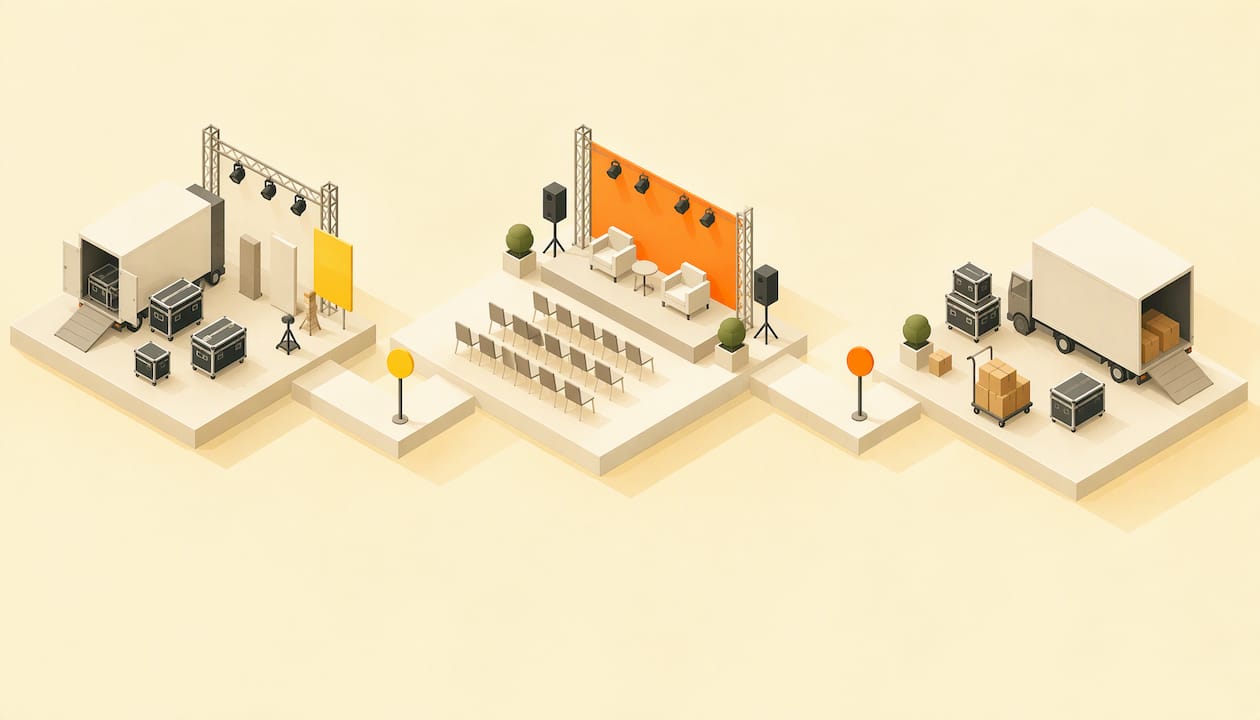
An event operations checklist works when every task has one named owner, a time (not just a date) and a place in one of five phases: setup, logistics, production, event day and closeout. Build it that way and the event stops depending on memory. Below is the full list, with the run of show, the safety checks and the debrief. We also show where the ticketing and event-site tasks can come off your list entirely, because Actickety lets you build the event microsite, poster, ticketing and merchandise setup yourself, free until you go live.
TL;DR
- Split operations into phases (setup, logistics, production, event day, closeout) and give every line one owner and a clock time.
- Confirm people, equipment, deliveries, communications and backup plans in writing at least two weeks out, then check in daily.
- Build a run of show with time, duration, owner, cue, tech and contingency columns, and rehearse the handoffs.
- Safety and accessibility rules depend on location: confirm permits, insurance and ADA requirements with your venue and local authority.
- Close out within 48 hours with a no-blame debrief, budget reconciliation and attendee feedback.
Table of Contents
- How to structure an event operations checklist
- Ownership rules that make a checklist work
- Event setup checklist: before attendees arrive
- Event logistics checklist: people, equipment, deliveries, communications
- Event production checklist: staging, sound, lighting and power
- Build a run of show
- Event day checklist
- Safety and accessibility: what depends on location
- Teardown and post-event closeout
- Our view: operations starts with the event site
- Take ticketing and the event site off your checklist
- FAQ
- Sources
How to structure an event operations checklist
Most checklists that rank for this topic are long lists sorted by months before the event. That is fine for planning, but operations is different: it is about who does what, at what minute, with what equipment. So sort by phase, then by owner.
One published operations playbook breaks the work into seven stages: define the brief, model a budget, compare providers, review contracts and risk, build the execution plan, prepare contingencies, then reconcile and learn. It also suggests an assumption ledger that labels each item as known, estimated, unconfirmed or decided, with a source, an owner and a next review date. That small habit catches the item everyone assumed someone else confirmed.
For a small team, five working phases cover it:
- Setup and venue
- Logistics (people, equipment, deliveries, communications)
- Production (staging, sound, lighting, power)
- Event day, run by a run of show
- Teardown and closeout
If you want the planning side that sits before these phases, our event planning workflow walks through eight phases from idea to review.
Ownership rules that make a checklist work
The format of the list matters less than two rules.
One owner per line. A checklist guide from an events consultancy advises assigning each task a single named owner and holding daily written check-ins during the final two weeks. Shared ownership is how things fall through. One event producer puts it plainly in a guide to run-of-show building: when a cue belongs to three people, it belongs to no one.
A time, not just a date. The same guide says every punch-list line should carry a time. "Confirm generator" is vague. "Maya confirms generator delivery with the supplier by 3 p.m. on the day before" can be checked.
A simple row looks like this:
| Task | Owner | Due (date and time) | Status | Backup |
|---|---|---|---|---|
| Confirm load-in slot with venue | Dana | Day -14, 5 p.m. | Confirmed | Venue manager's cell |
| Test projector and laptop adapters | Chris | Day -1, 4 p.m. | Open | Spare adapter kit |
| Print and post wayfinding signs | Priya | Day 0, 8 a.m. | Open | Hand-lettered backups |
If your team lives in a spreadsheet, that is enough. If you want assignments, reminders and dependencies in one place, project management tools for event planners are worth comparing.
Event setup checklist: before attendees arrive
Setup is the stretch between getting the keys and opening the doors. A setup checklist should verify room layout and signage, AV testing, catering readiness, and clear emergency exits and safety protocols before guests arrive.
Work through it in this order:
- Walk the venue with the venue contact. Note existing damage with photos, so teardown is a fair comparison.
- Lay out the room. Registration, stage, seating, food, restrooms and exits, with aisles kept clear.
- Post signage. Entrances, accessible routes, restrooms, registration, and "where to find help."
- Test everything that plugs in. Microphones, screens, laptops, charging points, the card readers or scanners used at the door, and the Wi-Fi at the registration desk.
- Check service readiness. Caterers have arrived, water is available, and trash and recycling points are placed.
- Walk the exits. Every exit unlocked, unblocked and visible.
- Brief staff and volunteers. Each person should know their post, their supervisor and who calls the shots if something goes wrong.
The door is also an operations item. Know how attendees will be checked in and how you will find their tickets if a phone dies. With ticketing on your own event microsite, your attendee data stays yours, which makes the guest list at the door a list you control rather than one you have to request.
Event logistics checklist: people, equipment, deliveries, communications
Logistics is where most day-of surprises begin. Confirm each area in writing, with a named contact and a phone number that will be answered on the day.
People
- Staff and volunteer schedule with start and end times, breaks and a named supervisor for each shift.
- Speaker, artist or performer arrival times, plus a person assigned to greet and escort each.
- Vendor contact list, with the on-site contact for each (not the sales rep).
Equipment
- A full equipment list tied to who supplies it and who returns it.
- Spares for the cheap, critical items: cables, batteries, tape, extension cords, adapters, pens, lanyards.
- A power plan: where power is needed, how much, and how it reaches the stage, food and registration.
Deliveries
- Delivery slots, the access point for trucks or vans, where items are stored, and who signs for them.
- A load-out deadline from the venue, because overrunning it can cost money.
Communications
- One channel for staff during the event (a group chat or radios) and one escalation number.
- A message plan for attendees: pre-event details, day-of updates, and the follow-up. A clear page answering the questions people ask most reduces day-of calls, and our guide to the event FAQ page shows what to include.
- A plan for changes: who decides to delay, move or cancel, and how attendees are told.
Contingencies
- Weather, late vendors, no-shows, tech failure, a medical incident, a crowd issue.
- For each: the trigger, the decision-maker, the first action and the backup.
One local council in England, for example, requires a written contingency plan in its event guidance in other places; check what your own city or county requires, since requirements are local. We cover the legal pieces below.
Event production checklist: staging, sound, lighting and power
Production is the technical layer: staging, audio, lighting, video, power and the rehearsal that proves they work together. A production checklist from a production software company describes seven phases, from pre-production through load-out and load-in to setup, with venue paperwork, equipment checks and technical tasks throughout.
For most community, charity, school and small-business events, you can reduce that to this:
- Paperwork first. Venue rules on rigging, sound limits, noise curfews, and who may touch the power.
- Load-in plan. Order equipment so the first thing off the truck is the last thing needed out of the way.
- Stage and sound. Place speakers, monitors and microphones. Run a line check with every mic and every playback source.
- Lighting. Set looks for each segment and confirm who triggers changes.
- Power. Label circuits. Keep cables out of walkways or cover them.
- Technical rehearsal. Run the handoffs between segments (intro to speaker, set change, award to music) rather than every act in full.
- Freeze the plan. After the final tech check, changes go through one person only.
Build a run of show
The run of show is the event-day heart of the checklist: a minute-by-minute script. A template from a workflow tool describes it as each segment, cue and transition mapped to an exact time slot, with start time, duration, owner and AV cues.

A useful seven-column layout, as recommended by an event producer, is Time, Duration, Segment, Owner (one name), Cue (the exact trigger), Tech (audio, lighting, AV actions) and Contingency (what happens if the previous segment runs long or short).
An example for a 90-minute fundraiser:
| Time | Duration | Segment | Owner | Cue | Tech | Contingency |
|---|---|---|---|---|---|---|
| 6:00 p.m. | 30 min | Doors and check-in | Priya | Doors unlocked | House music on | Open second check-in line if queue passes 20 |
| 6:30 p.m. | 5 min | Welcome | Dana | Host walks to stage | Mic 1 live, lights up | Cut to 3 min if late |
| 6:35 p.m. | 20 min | Keynote | Chris | Host says name | Slides on, mic 2 | Skip Q&A if over by 5 min |
| 6:55 p.m. | 15 min | Auction | Maya | Keynote applause | Spotlight on auctioneer | Drop last lot if late |
| 7:10 p.m. | 20 min | Live music | Sam | Auctioneer closes | Band line check done | Shorten set by one song |
Three habits make it work:
- Print it. Phones die. Keep paper copies with the stage manager, the sound lead and the door lead.
- Name one caller. One person says "go" for cues. The same producer advises rehearsing handoffs between segments rather than the acts themselves.
- Plan the overrun. The contingency column is where you decide in advance what gets cut.
Event day checklist
On the day, the checklist becomes a timeline. A workable skeleton:
Morning (setup window)
- Key handover, venue walkthrough and photos of existing condition.
- Deliveries received, counted and signed for.
- Stage, sound, lighting and registration tested.
- Team briefing with the run of show in hand and every person's post confirmed.
Doors minus 60 minutes
- Final walk of exits, restrooms and accessible routes.
- Check-in staff in place, scanners or lists tested, signage up.
- Performers and speakers arrived and with their escort.
During the event
- Caller runs cues against the clock.
- A floater handles problems so the owners stay at their posts.
- Incident log open: time, place, what happened, who responded.
- Live updates posted to attendees if there are changes. Our plan for social media before, during and after events covers that.
Last hour
- Final announcements and thanks.
- Merchandise, lost property and unclaimed items handled.
- Load-out briefing: who removes what, by when.
Safety and accessibility: what depends on location
This is the part of the checklist where requirements change by place. Rules vary by country, state and city, so confirm each with your local permitting authority, venue and insurer.
Examples from official guidance show what such rules look like:
- United States (Boulder County, Colorado, 2019): the county's special event guide requires ADA compliance, including accessible routes at least 36 inches wide, accessible parking and at least 5% of portable restrooms accessible, on level ground with no more than a 2% cross-slope.
- Other countries differ. Canadian, UK and Australian authorities set their own insurance, contingency plan and accessibility rules. If you operate outside the US, use your own authority's current guidance.
A practical safety and access checklist:
- Permits and insurance confirmed, with certificates on file and venue requirements met.
- Written emergency plan: fire, medical, severe weather, crowd issues and evacuation, with the emergency services informed where required.
- Accessible routes, seating, restrooms and parking, signposted, with a named contact for access requests.
- Capacity limits known and monitored at the door.
- First aid arrangements and a person who knows where the kit is.
- Information for attendees about access and facilities, published before the event. Our guide to event website design covers accessible web pages that include this.
For a medical emergency, call 911 first. Your log comes second.
Teardown and post-event closeout
Teardown is the checklist's last operational phase. Confirm all materials are removed, keys and badges returned, damage checked and the venue walkthrough signed off.
Closeout then covers an all-hands debrief, budget reconciliation, venue cleaning to contracted standards and attendee feedback. Review the incident log, and document medical and security incidents for insurance and records.
Timing. One destination management company suggests brief debriefs within 24 to 48 hours, a fuller evaluation within a week, and follow-up two to four weeks after. That rhythm suits most small teams.
Tone. The US Federal Highway Administration's handbook on planned special events says a debrief should examine what happened, compare it with expectations, identify what worked and find areas to improve, and that it is not designed to find blame. Adopt that rule and people will tell you the truth.
A closeout list:
- Debrief within 48 hours, with notes by one named person.
- Reconcile ticket, merchandise, vendor and venue figures against the budget.
- Send thank-you messages to attendees, volunteers, sponsors and vendors.
- Send a short feedback survey while memories are fresh.
- Update the checklist with what you learned, so the next event starts from a better template. Our event email marketing guide covers the follow-up emails.
Our view: operations starts with the event site
Most operations trouble we can trace starts earlier than people expect: with a tangled setup. Tickets on one platform, the event page somewhere else, merchandise handled by hand, and attendee data sitting in a system the organizer does not control.
We built Actickety so an organizer can build a professional event microsite in ten straightforward steps, generate an AI poster, and configure ticketing and merchandise in one place, with 100% ownership of the event data. Every task that lives in one place is a task nobody has to chase on event day.
Our aim is also simple: the revenue from your event should be yours. We charge no platform fees on ticket sales, unlike the big ticketing giants, and there are zero upfront costs until you are ready to go live. Charities, schools, clubs, artists and community groups should spend their energy on the event, not the middlemen.
Tim
Take ticketing and the event site off your checklist
Setup, ticketing, merchandise and the event page are the checklist items that eat the most hours for small teams. With Actickety, you build the event microsite, generate an AI poster and configure ticketing and merchandise in one flow, and you pay nothing upfront until you go live.

You keep full control of your attendee data, and there are no platform fees on ticket sales. Start building your event on Actickety, or see how community event ticketing works for a launch in hours. If you want a site that sells, our guide on how to create an event website covers it step by step.
FAQ
What should an event operations checklist include?
It should cover setup and venue, logistics (people, equipment, deliveries, communications), production, the event-day timeline, safety and accessibility, teardown and closeout. Each line needs one owner and a time. Add a contingency for every critical item.
What is the difference between an event run of show and a checklist?
A checklist tracks tasks that must be done, in any order, before and after the event. A run of show is a timed script for the event itself, with cues, owners and tech actions for each segment. You need both: the checklist gets you to doors, and the run of show carries you through.
How far ahead should I confirm logistics?
Confirm vendors, deliveries, load-in slots and staffing in writing at least two weeks out, then hold daily check-ins in the final two weeks. Book venues, permits and insurance much earlier, since requirements and lead times vary by location.
What belongs on a post-event checklist?
A no-blame debrief within 48 hours, budget reconciliation, venue walkthrough and cleaning sign-off, incident log review, thank-you messages and an attendee survey. Then update your template with what you learned.
Who is responsible for event safety and accessibility rules?
The organizer is, but the specific rules come from your local authority, venue and insurer. Contact them early to confirm permits, insurance, ADA requirements and emergency planning for your location.
Sources
- Event Operations Playbook: From Scope to Reconciliation
- Event Planning Checklist Template, Events Authority
- How to Build a Run of Show for a Corporate Event
- Event Venue Setup checklist
- Event Setup Checklist Template
- Event Run of Show Template
- Boulder County Transportation Special Event Permit Guide
- Event Post-Event Closeout and Incident Review checklist
- How do I document lessons learned from events?
- Managing Travel for Planned Special Events, Chapter 3