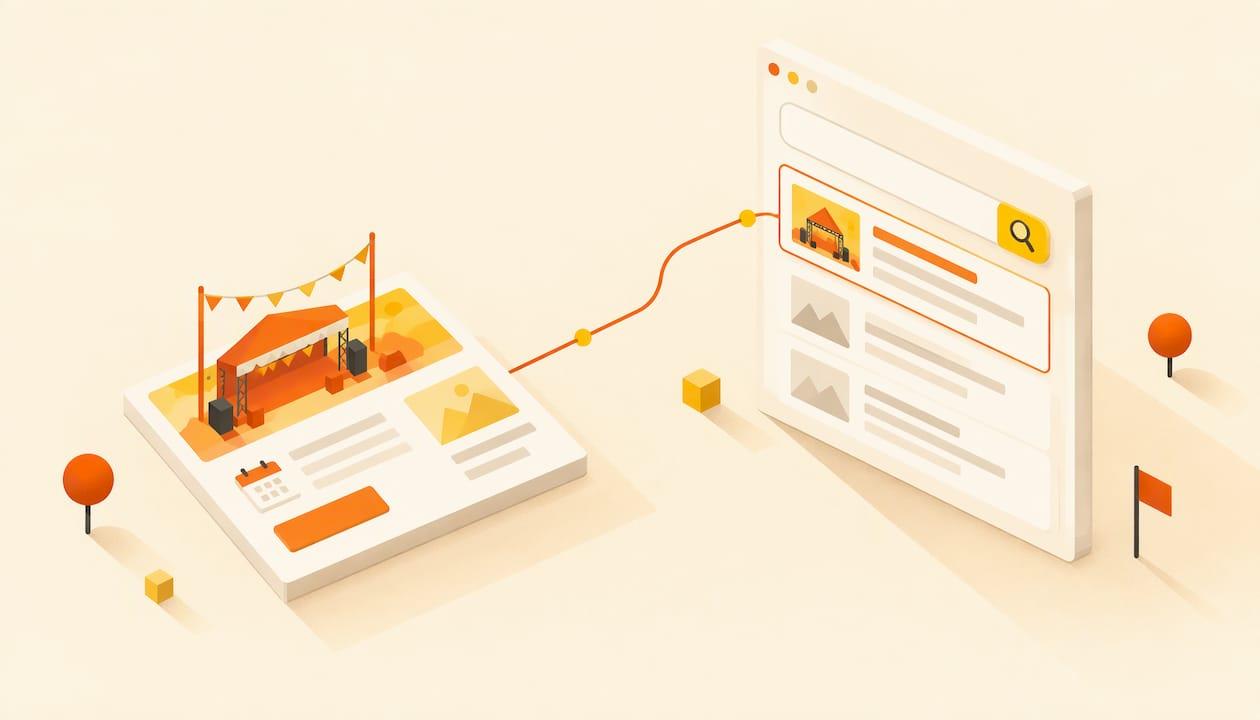
An event microsite ranks when it does a few things well: one clear page per event, a title and first paragraph that say what, where and when, structured data that tells Google the event details, and a ticket button that works. None of that needs an agency. It needs a site you control, built around the event rather than around a template. That is why we build Actickety around the event microsite: you can set one up for free in ten steps, with ticketing and merchandise included, and you pay nothing upfront until you go live.
This guide covers what a microsite is, when to use one, how to structure it for search, the technical basics, and how to tell whether it is working.
TL;DR
- A microsite is a small standalone site for one event. It gives you a clean URL, one focused message and full control of the content.
- Give every event its own page, with the event name, city and date in the title and the first paragraph.
- Add Event structured data (a block of code that labels your date, venue, price and organizer) so Google can read the details.
- Keep the page after the event. Archive it or reuse it for next year instead of deleting it.
- Track visits, ticket clicks and sales together, so you know whether the problem is traffic or the page.
Table of Contents
- What an event microsite is, and how it differs from a website or landing page
- When your event needs its own microsite
- Structure the microsite around what people search for
- Technical basics that help the page get indexed
- Earn links and searches beyond the event week
- Measure whether it works
- A practical checklist before you publish
- Our perspective
- Build your event microsite with Actickety
- FAQ
- Sources
What an event microsite is, and how it differs from a website or landing page
Three formats get confused. Bitly describes the split this way: a website covers a whole brand across many pages, a landing page drives one action on one page, and a microsite is a small standalone site, from one page to a handful, built for one campaign or event. Its rule of thumb is that if the initiative needs more than one page to tell its story, a microsite is the better choice.
HubSpot adds the hosting difference. A landing page lives on your existing site. A microsite sits in a separate location, on a subdomain or its own domain. HubSpot compares a main website to a store and a microsite to a pop-up shop, which fits events well: it exists for a short, specific purpose.
For events, Mailchimp describes the microsite as a digital headquarters for conferences, workshops and fundraisers. It holds the schedule, speaker information, venue details and registration forms, and it can be archived or repurposed afterward without touching the main website.
That last point matters for a charity, a school or a sports club whose main site is a few pages managed by a volunteer. You do not want to rebuild the main site every time you run a gala or a tournament.

When your event needs its own microsite
HubSpot's guidance is purpose-driven: it favors microsites for long-running campaigns, new audiences, event promotion and branded communities, and says a simple one-off webinar can live happily on a landing page. An annual conference is its example of an ideal microsite.
Translate that to your situation:
| Your event | Better home |
|---|---|
| Annual fundraiser, festival, tournament or open day | Microsite you reuse each year |
| Concert tour or multi-date series | Microsite with one page per date |
| Workshop series or seminars | Microsite with one page per session |
| Free one-hour talk on your existing site | A single page may do |
| Event where you sell tickets or merchandise | Microsite with ticketing built in |
If people have to buy something, a microsite also keeps the whole journey in one place: discover, decide, pay. Sending them off to a third-party listing page is where you lose both the visitor and the data. If you want the build process itself, our guide to creating an event website that sells tickets walks through it.
Structure the microsite around what people search for
People rarely search for your event by its brand name first. They search for things like "charity run in Austin in April", "jazz concert near me this Saturday" or "pottery workshop Portland". Your structure should answer those searches directly.
One page per event
The cleanest rule in event SEO is one URL per event. Google's own Event structured data guidelines say each event must have a unique URL, a dedicated page, with the markup on that URL. If you run a three-date tour, build three pages, not one page listing three dates with one set of details.
If you run a series, add a simple overview page that links to each event page. The overview collects searches for the series; each event page collects searches for a specific date and place.
Titles and first paragraph
A practical pattern, drawn from local event SEO advice from the Association of Registered Web Developers, is a descriptive title built from city, topic and date, with the city repeated in the first paragraph. For a US community event, that might look like:
- Title: Riverside 5K Charity Run, Sacramento, April 12
- First sentence: Join the Riverside 5K in Sacramento on April 12 to raise money for the children's literacy program.
- URL: /riverside-5k-sacramento
Keep the title under about 60 characters so it is not cut off, and write a one- or two-sentence meta description that says who the event is for and what to do next. Google treats these as inputs rather than guarantees, so write them for a human deciding whether to click.
Headings that match questions
Use short headings for what visitors actually ask: where is it, what time does it start, how much are tickets, is parking available, is it accessible, can I bring children. These double as the language search engines match against. If you have more than a handful of questions, give them their own page; our event FAQ page guide covers what to include and how to write it.
Put the essentials above the fold
The date, venue, price and ticket button should be visible without scrolling on a phone. A visitor who arrives from search and cannot find them in five seconds goes back to the results, and that wastes the ranking you earned. Our event website design guide covers layout and accessibility for organizers working without an agency.
Technical basics that help the page get indexed
Add Event structured data
Structured data is code in a standard format that labels the facts on your page. Google's documentation says the page must contain structured data items from the Event type on schema.org, and it lists properties such as name, start date, location and offers. The result can be eligible for event-rich appearances in search, though Google does not promise them.

The technical team at Playwire explains the practical format: JSON-LD (a block of code that sits in the page, invisible to visitors), dates in ISO 8601 format such as 2026-08-15T18:00, a nested Place with a postal address for the venue, and nested Organization or Person entries for organizers and performers.
A minimal example looks like this:
{
  "@context": "https://schema.org",
  "@type": "Event",
  "name": "Riverside 5K Charity Run",
  "startDate": "2027-04-12T08:00",
  "location": {
    "@type": "Place",
    "name": "Riverside Park",
    "address": {
      "@type": "PostalAddress",
      "addressLocality": "Sacramento",
      "addressRegion": "CA"
    }
  },
  "organizer": {"@type": "Organization", "name": "Your Organization"}
}
The data must match what visitors see on the page. If the page says doors open at 7 pm, the markup cannot say 8 pm. When a date changes, update both. After you publish, test the page with Google's Rich Results Test and watch for errors in Search Console.
Keep venue details consistent
The same ARWD guidance advises that the venue name and address on your page should match how the venue appears on its Google Business Profile, so search engines do not see conflicting versions of the same place. Copy the venue's address exactly rather than paraphrasing it.
Readable URLs and mobile speed
Use short URLs in plain words, with no tracking codes or ID strings. Compress your poster and images; a large poster file is the most common reason an event page loads slowly on a phone. Many of your visitors will arrive from Instagram or a text message, so mobile is the real test. Our Instagram event promotion guide shows how to send every format to one ticket page.
Do not delete the page afterward
When the event ends, do not delete the URL. Change the status, add a recap and photos, and point visitors to the next edition. The page has gathered links and history, and a repeat event can start from that position instead of from zero. This is the advantage of a separate microsite: you can archive or reuse it without disturbing anything else.
Earn links and searches beyond the event week
Search visibility comes from more than the page itself. Three habits are cheap and effective for small teams:
- Get listed by people who know you. Ask the venue, sponsors, partner charities, the school or university department and local community calendars to link to the exact event page, not to your home page.
- Use the same details everywhere. Name, date, venue and ticket link should be identical on social posts, the venue's page and any press mention. Our social media plan for events covers what to post before, during and after.
- Turn sessions into articles. Jon Monk of ASP Events suggests recording sessions, transcribing them and turning them into standalone keyword-focused articles, so a keynote becomes search content long after the room empties. If you plan to do this, a guide on how to repurpose content for SEO helps you get more from each recording.
For a wider plan covering email, partners and social, see our 90-day guide to promoting an event online.
Measure whether it works
Rankings alone do not sell tickets. Look at three numbers together:
- Search visibility: impressions and clicks for your event page in Google Search Console, and which queries trigger them.
- Visits: sessions on the page, split by source (search, social, email, direct).
- Conversions: ticket clicks, completed purchases and, where you can, attendance on the day.
The Event Page SEO Guide offers a useful way to read the combination. High traffic with few sign-ups can point to a confusing call to action or a long form. High registration with low turnout can mean people forgot, so send a reminder. Apply the same logic to tickets: many visits but few sales means the page needs fixing, not more promotion.
For setup, our Google Analytics for events guide covers GA4 configuration, and ticket sales analytics explains which sales figures to track.
A practical checklist before you publish
- The title has the event name, city and date.
- The first paragraph repeats the city and says who the event is for.
- The date, venue, price and ticket button show on a phone without scrolling.
- Event structured data matches the visible details.
- The URL is short and readable, and each event has its own.
- The meta description is unique and written for people.
- The venue address is copied exactly from the venue's own listing.
- Your venue, sponsors and partners have the link to the exact page.
- Analytics is tracking ticket clicks and purchases.
- You have a plan for the page after the event.
Our perspective
Most small organizers do their event SEO on a site they do not really control: a listing on someone else's marketplace, with someone else's branding, someone else's data and a fee on every ticket. The ranking you earn there belongs to the platform.
We built Actickety on the opposite idea. Your event gets its own microsite, you keep 100% of your event data, and there are no platform fees on ticket sales. Setup is free, takes ten steps, and costs nothing upfront until you are ready to go live. That means a charity, a school or a sports club can put its energy into the page, the message and the crowd rather than into paying for access to its own audience.
Good event SEO is mostly discipline: one page per event, clear details, honest titles. A site that is yours, built around the event, makes that discipline easy to keep from one year to the next.
Tim
Build your event microsite with Actickety
Actickety lets you build a professional event microsite yourself, generate an AI poster, and set up ticketing and merchandise in one place. Setup is free, there are zero upfront costs until you go live, and there are no platform fees on ticket sales. You keep full ownership of your event data. See how it works on Lumina, or follow the free event website setup guide to build and launch in ten steps.

If you are deciding who owns what, our piece on event data ownership explains what organizers should control.
FAQ
Is a microsite better than a page on my existing website for SEO?
It depends on the purpose. A page on your main site can borrow your site's existing authority, while a microsite gives you a separate, focused home that you can reuse or archive without affecting anything else. For a recurring event that sells tickets, a dedicated microsite keeps the whole experience in one place.
How many pages should an event microsite have?
One to a handful is typical. Include a main event page with the details and ticket button, and add pages for the schedule, venue and travel, and FAQs if the event needs them. For a series, add one page per event plus an overview page.
Do I need Event structured data?
It is not required to be indexed, but it is the standard way to tell Google your event's name, date, venue, price and organizer. Google's documentation describes the properties and says the markup must match what visitors can see on the page.
How early should I publish the page?
As soon as the date and venue are confirmed. Search engines need time to find and trust a new page, and people start looking weeks before an event. You can mark tickets as coming soon and update the page when sales open.
What happens to the SEO value after the event?
Keep the page live. Mark the event as finished, add a recap, and link to the next edition. The links and history the page has built then carry into the following year's event.
Sources
- What Is a Microsite? Meaning, Examples & Uses (Bitly)
- 11 of the best microsite examples (HubSpot)
- What Is a Microsite? (Mailchimp)
- Event structured data (Google Search Central)
- Local SEO Tactics For Tech Meetups And Events (ARWD)
- Event Listing Website SEO Recommendations (Playwire)
- Website Optimisation 365: The Events Life Cycle (ASP Events)
- Event Page SEO Guide (Search Engine Magazine)
- How to Repurpose Content for SEO and Boost Traffic