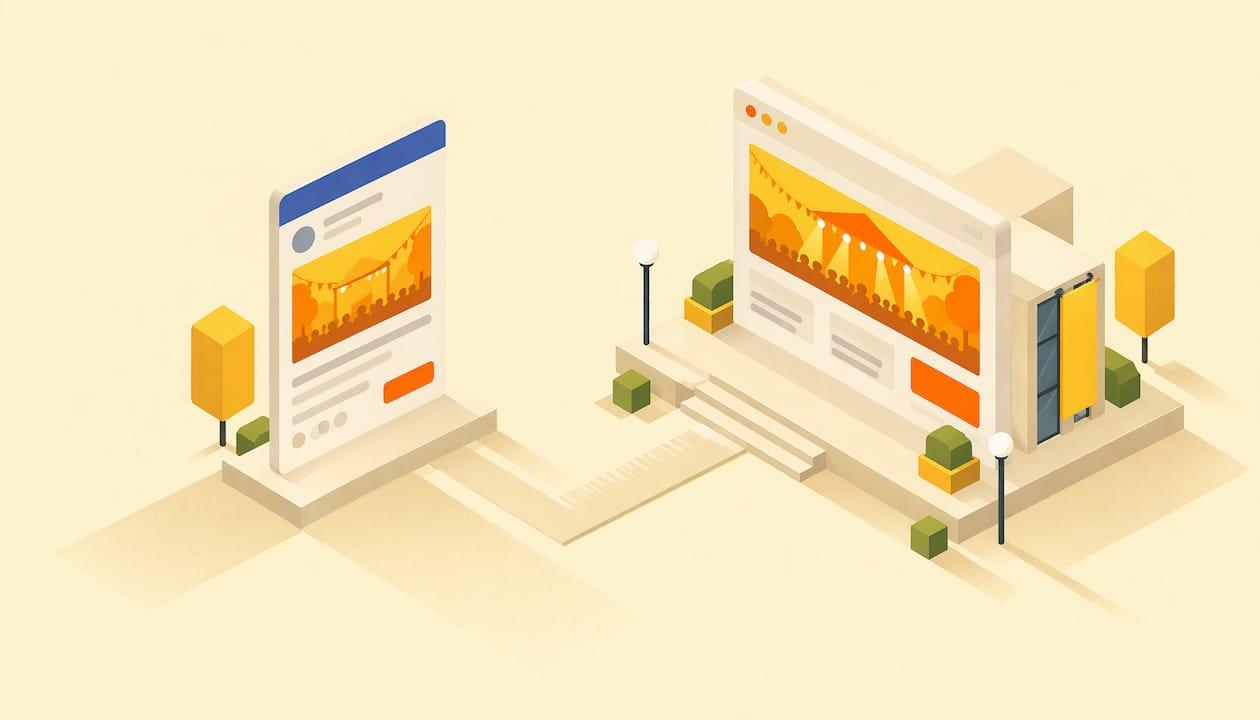
Use both, but give them different jobs. A Facebook Event is a place to be seen and to collect interest. An event website is the place where people buy, register and get the facts, and where you keep the data. If you only pick one for an event that has to raise money or fill seats, pick the website and point Facebook at it.
TL;DR
- A Facebook Event is good for reach and reminders. It is not a registration: a response carries no ticket type or price and cannot be joined to an attendee list.
- An event website is where tickets, merchandise, the schedule, the FAQ and your attendee data live, under your own brand.
- Interest on Facebook overstates attendance. In one academic study, 39.5% of accepted invitations did not turn into attendance.
- The best setup: a Facebook Event that sends people to one ticket page on your own site.
- On Actickety you can build that site free and pay nothing until you go live, with no platform fees on ticket sales.
Table of Contents
- What each one actually is
- Where Facebook Events win
- Where a Facebook Event stops
- What you control on an event website
- How to use both: Facebook as the front door
- Which one fits your event
- Worked example: a 150-seat charity night
- Costs to check before you choose a ticketing route
- Build the website in an afternoon
- Our view on the Facebook question
- FAQ
- Sources
What each one actually is
A Facebook Event is a listing inside Facebook. You add a title (event names are capped at 64 characters), a photo or video, a date, a venue, a description and a link to a ticket page or website. People tap Interested or Going, and Facebook shows the event to some of their friends.
An event website, often called a microsite, is a small site built for one event. It holds everything a guest needs: what, when, where, who is playing or speaking, how much it costs, how to buy, and what to do if something goes wrong. You own the address, the design and the information people give you.
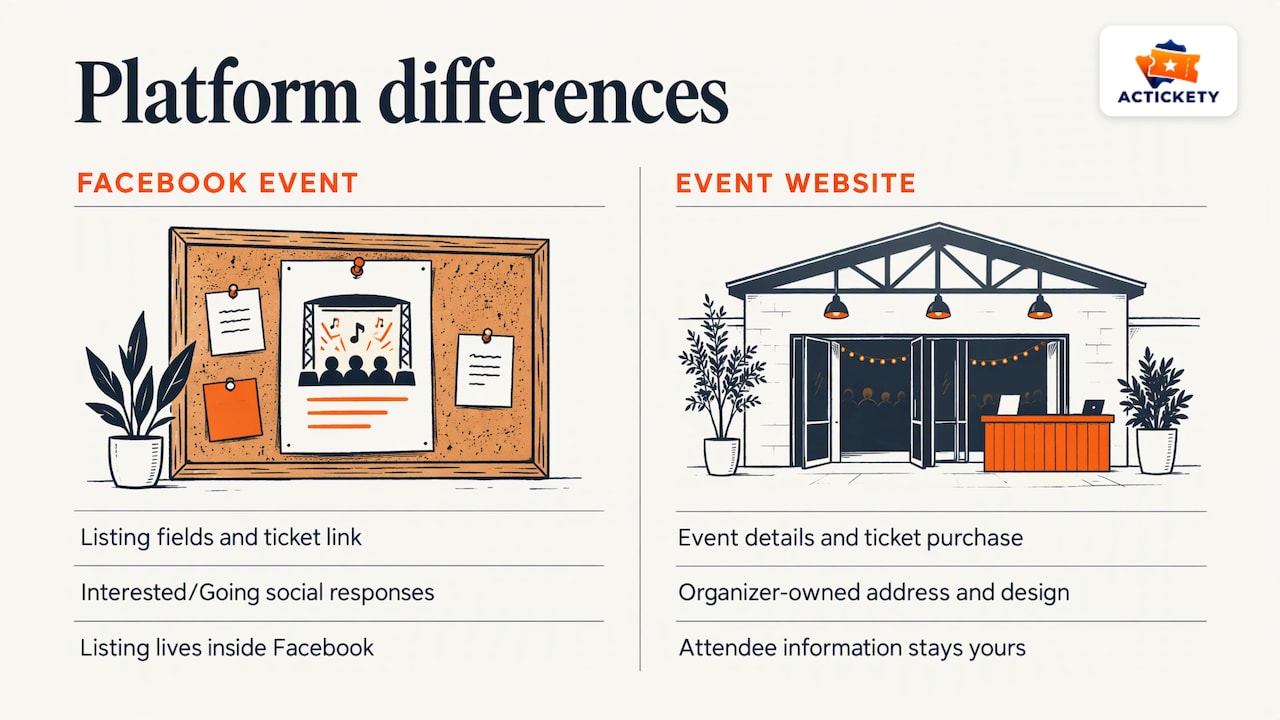
The first is a notice board in a busy square. The second is the venue itself. A notice board gets glances. The venue is where the transaction happens.
Where Facebook Events win
Facebook is good at three things, and for a small organizer they matter.
Built-in audience. People already spend their day there. In an ACM study of social events, 62 of the 79 invitations participants reported (78%) were sent through Facebook. A friend tapping Going on your church fundraiser or club tournament is the kind of social proof a new website does not have on day one.
Zero setup cost. You can create an event in minutes from a personal profile or a Page. For a free neighborhood cleanup or an open mic, that can be all you need.
Reminders. Facebook can remind people who said Going as the date approaches. For free community events where a response is all you need, that is genuinely useful.
So keep the Facebook Event. The question is what it can't do.
Where a Facebook Event stops
A response is not a registration
A Going tap carries no ticket type, no price and no link to an attendee list, as one event-advertising guide puts it. You cannot tell the door team who is on the list, how many vegetarian meals to order, or which of your 200 guests are students with a discount.
Going does not mean attending
The ACM study interviewed 31 people. Of 43 accepted event invitations, 17 (39.5%) did not result in actual attendance. Twelve interviewees said that clicking Join is not a promise to attend, only a sign of inclination.
If you plan catering, seating or staffing from the Going count, you are planning from a soft number. A paid ticket is a firm one.
The audience is borrowed
People who respond on Facebook are Facebook's contacts, not yours. You cannot export them to an email list you control, and you cannot follow up with the details of next year's event unless they come back to your page. Email matters here: one 2025 stats roundup, citing Campaign Monitor data, says email drives about 40% of event registrations on average, double what social media delivers, and reminder emails within 48 hours can lift attendance by up to 20%. You can only send those emails if you collected addresses yourself.
Format and look are not yours
Every Facebook Event looks like every other one. You cannot design a schedule grid, add a sponsor wall, run a merchandise shop beside the tickets or lay out an FAQ the way your audience reads it. Sponsors notice. One event-website practitioner argues that sponsors take an organizer more seriously when there is a proper site instead of a blurry header image and a few comments.
What you control on an event website
This is the part Facebook cannot match, and it is the reason the website comes first for paid events.
| What you need | Facebook Event | Your event website |
|---|---|---|
| Sell tickets | Link out only | Sell on the page |
| Sell merchandise or add-ons | No | Yes |
| Attendee list with ticket types | No | Yes |
| Email addresses you own | No | Yes |
| Brand, layout, colors | Fixed template | Yours |
| Schedule, FAQ, map, accessibility info | Basic description | Full pages |
| Edit once, update everywhere | Per event | One source of truth |
| Reach new strangers | Strong | Needs promotion |
| Setup effort | Minutes | Hours with the right tool |
The website also stays online after the event. Next year's date goes on the same address, and the people who bought this year are already on your list.
How to use both: Facebook as the front door
The cleanest pattern is simple: Facebook attracts, the website converts.
- Build the website and ticket page first. Facebook should point to something finished. If you have never built one, the walkthrough on how to create an event website that sells tickets covers the pieces.
- Create the Facebook Event second. Use the same title, image and date so nothing conflicts. Keep the title short enough to display well.
- Put your ticket link in the ticket field. Facebook's event setup has a field for an external ticket or registration page. NC State Extension advises adding the registration page to the Admission / Ticket URL field, which puts a Find Tickets or Register button at the top of the listing. It also suggests sharing the Facebook Event in feed posts, rather than the raw website link, to get around feed link limits.
- Repeat the link in the description. Many people read only the first lines, so lead with what, when, where and one link.
- Post updates on the website first, then share them on Facebook. Guests who ask a question should find the answer on one page, not buried in comments. An event FAQ page saves you from answering the same question twenty times.
- Collect emails at checkout and send a reminder within 48 hours of the event.
The same logic holds on other networks. Whether the traffic comes from Instagram or TikTok, every post should end at one ticket page.
Which one fits your event
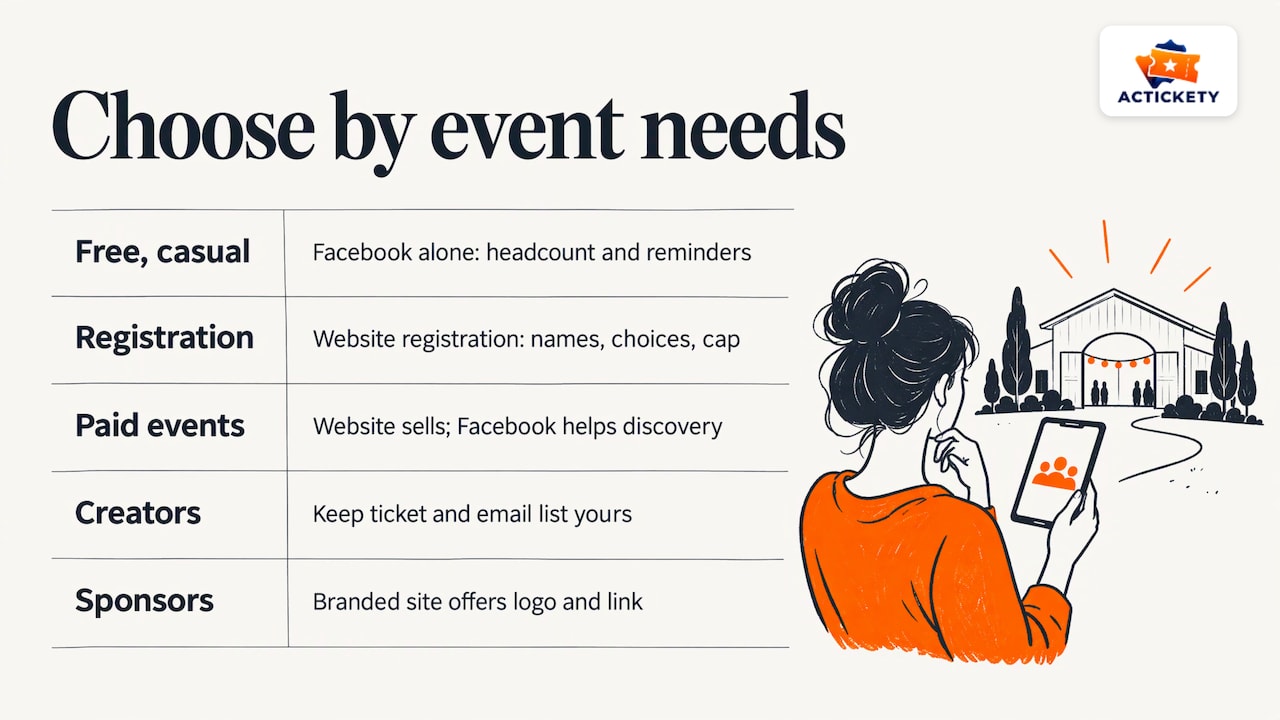
Free, local, casual. A park cleanup, a book swap, a pickup game. Facebook alone can work, because you want a headcount and a reminder, not a list.
Registration needed, no money. A school open day, a workshop with limited seats, a community meeting. You need names, session choices and a cap. A website with registration does this; the difference between sign-ups and tickets is explained in event registration vs ticketing.
Paid or fundraising. Concerts, charity dinners, festivals, tournaments, seminars. Here the website is the venue for the sale. Facebook is how people find it.
Creators with an in-person audience. Your followers live on social platforms, but the ticket and the email list should be yours. See selling tickets to your own events.
Anything with sponsors. A branded site gives sponsors a logo placement and a link. A Facebook Event does not.
Worked example: a 150-seat charity night
A community choir plans a fundraising concert. It creates a Facebook Event and 400 people tap Interested, 90 tap Going. Based on the study above, if the choir treats 90 Going as 90 guests, the real number could be closer to 55. The choir cannot email those people, does not know who wants a vegetarian dinner, and has taken no money.
Now the same choir with a ticket page. The Facebook Event still brings in the audience, but the button leads to a page where 150 seats have a price, a dinner choice and an email address attached. The choir knows its income before the doors open, and next spring's concert starts with a list of buyers.
Costs to check before you choose a ticketing route
A website is only the better answer if it does not eat your margin. Before you commit, add up three things: what it costs to set up, what you pay per ticket, and whether you can export your attendee data. Platform fees on each ticket can take a real share of a small fundraiser, which is why the fee line deserves a look before the design does.
The operational side of the event, such as volunteer rotas and vendor deadlines, sits in a separate toolbox. If you are weighing that too, this comparison of event planning project management tools is a starting point.
Build the website in an afternoon
Actickety is built for this exact setup. You create an event microsite in ten steps, generate a poster with AI, and configure ticketing and merchandise on the same site. Setup is free and there are no upfront costs until you are ready to go live. We charge no platform fees on ticket sales, and you keep 100% ownership of your event data.
Start with Actickety, or read the free event website setup guide first.

If you want to see the full ticketing routine, how to sell event tickets online takes you through it step by step, and community event ticketing is written for local groups.
Our view on the Facebook question
Organizers often ask us whether to choose Facebook or a website, as if it were a vote. It is a division of labor. Facebook is where your crowd already hangs out, so go there to be noticed. But a tap on Going is a mood, not a sale, and the people who tap it belong to Facebook.
We built Actickety because organizers were sharing their success with ticketing giants and still not owning their audience. Your event, your revenue, your rules: that means a site with your brand on it, tickets and merchandise sold on it with no platform fees on ticket sales, and an attendee list that stays yours.
The best result we can picture is a Facebook Event that does what it does well, which is spreading the word, and a microsite that does the rest. Build the site first, and every post you write afterward has somewhere worth sending people.
Tim
FAQ
Can I sell tickets directly on a Facebook Event?
The event page itself works best as a listing with an external link. You add your ticket or registration page in the ticket URL field, and Facebook shows a button on the event. The sale, the attendee record and the email address then live on your own site.
Is a Facebook page the same as a website?
No. A Facebook page lives inside Facebook, under its layout and rules. A website is at your own address, with your own design, and you decide what it collects and sells. Many organizers keep a page for conversation and a website for tickets and facts.
Do I need both a Facebook Event and a website?
For a free, casual gathering, Facebook alone can be enough. For anything with tickets, limited seats, sponsors or a repeat date, use both: the Facebook Event for reach and the website for registration, payment and your data.
How many people who say Going will actually come?
It varies, and a response is not a commitment. In one academic study of 43 accepted invitations, 39.5% did not lead to attendance. Paid tickets or confirmed registrations give you a far firmer number to plan from.
Sources
- De-Virtualizing Social Events: Understanding the Gap (ACM)
- Using Facebook Events to Promote Your Band's Shows
- Facebook Ads for Events: Setup and Measurement
- Key Event Marketing Stats To Generate Leads
- Why Event Websites Matter More Than Flyers or Social Posts
- How to Adapt Your Facebook Strategy to Meta's New Link Limits (NC State Extension)